Chapter 4: Removal and Reinstallation Procedures
4 –21
Procedure 12 – The Ribbon Shield
Before beginning this procedure, turn the printer off and disconnect the power cable.
Removing
STEP 1. Remove the Left End Cover (see Procedure 8).
STEP 2. Remove the Right End Cover (see Procedure 3).
STEP 3. Remove the Ribbon Platform (see Procedure 9).
STEP 4. Remove the Hammer Bank (see Procedure 11).
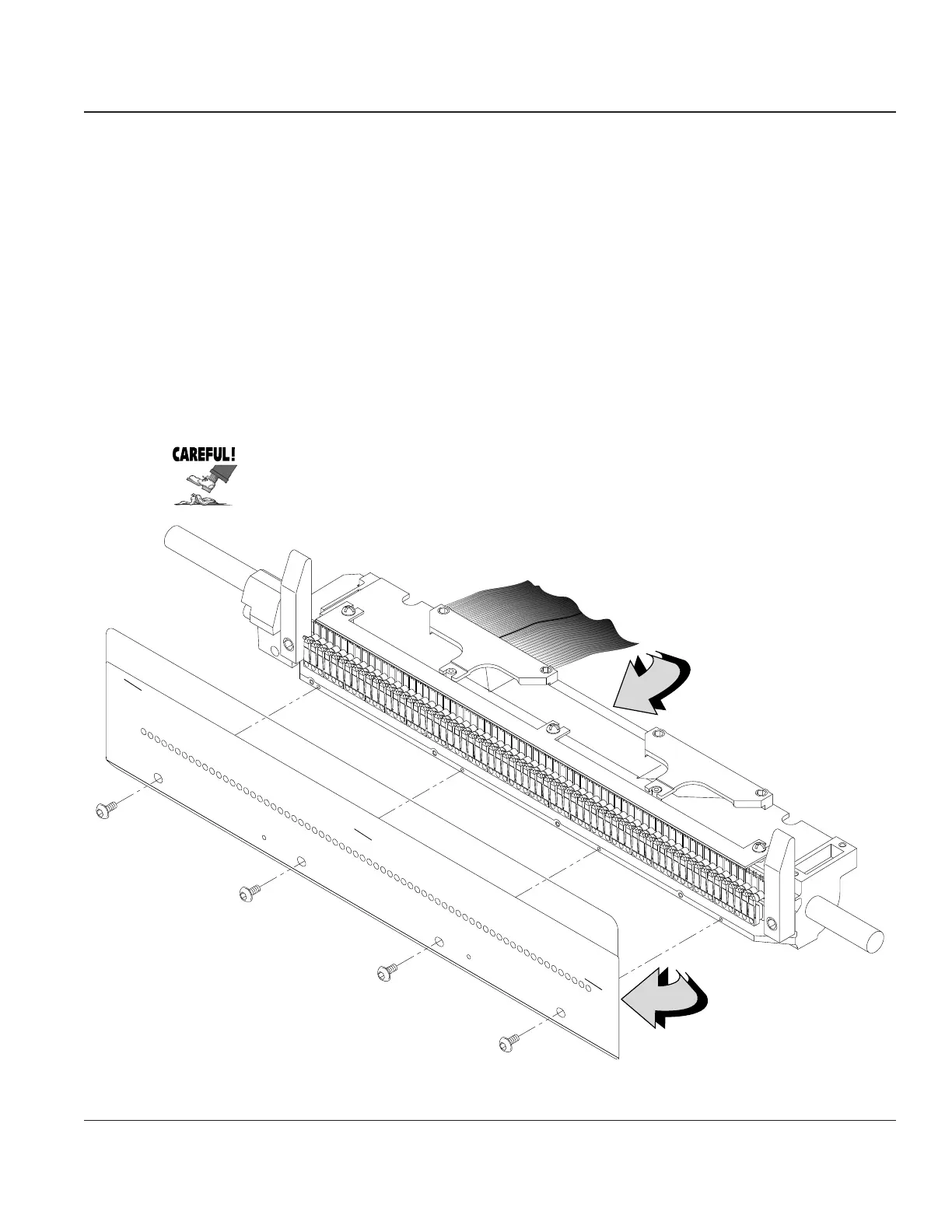
STEP 5. Using a .050" Allen wrench, (in tool kit 081147) remove the four screws that secure the
Ribbon Shield to the Hammer Bank.
Be careful when handling the Ribbon Shield. It can be bent easily, which can
affect operation of the printer. It also has very sharp edges that can put a real
hurt on you if you aren’t careful how you handle it.
Hammer Bank
Assembly
Ribbon Shield
Screws, 4x
Ribbon
Shield
Figure 4–19. Removing the Ribbon Shield



 To Next Page