T6090 Maintenance Manual
4–34
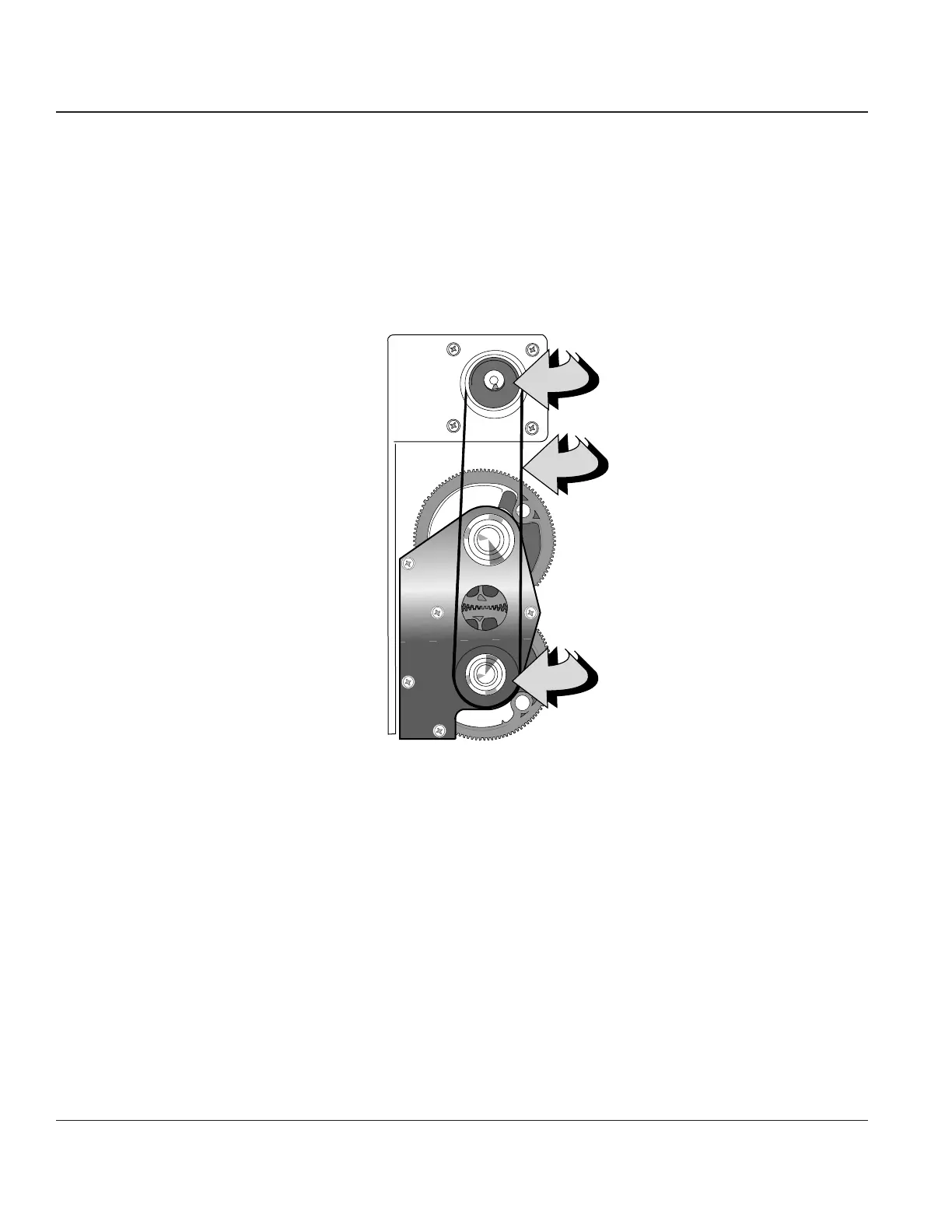
Procedure 20 —The Shuttle Drive Belt
Before beginning this procedure, turn the printer off and disconnect the power cable.
Removing
STEP 1. Remove the Printer Control Panel (see Procedure 2) and place it in the bottom of the printer.
STEP 2. Reach inside the Control Panel opening, grasp the belt and pull it up off of the Shuttle pulley
then remove it from the Shuttle Motor Pulley.
Shuttle Motor
Pulley
Shuttle
Pulley
Shuttle Drive
Belt
Figure 4-30. The Shuttle Drive Belt
Reinstalling
STEP 1. Place the belt around the Shuttle Motor Pulley, then place it around the Shuttle pulley.
STEP 2. Turn the Shuttle a few turns by hand to make sure the belt is centered on the pulleys.
STEP 3. Reinstall the Control Panel.



 To Next Page