Chapter 4: Removal and Reinstallation Procedures
4 –17
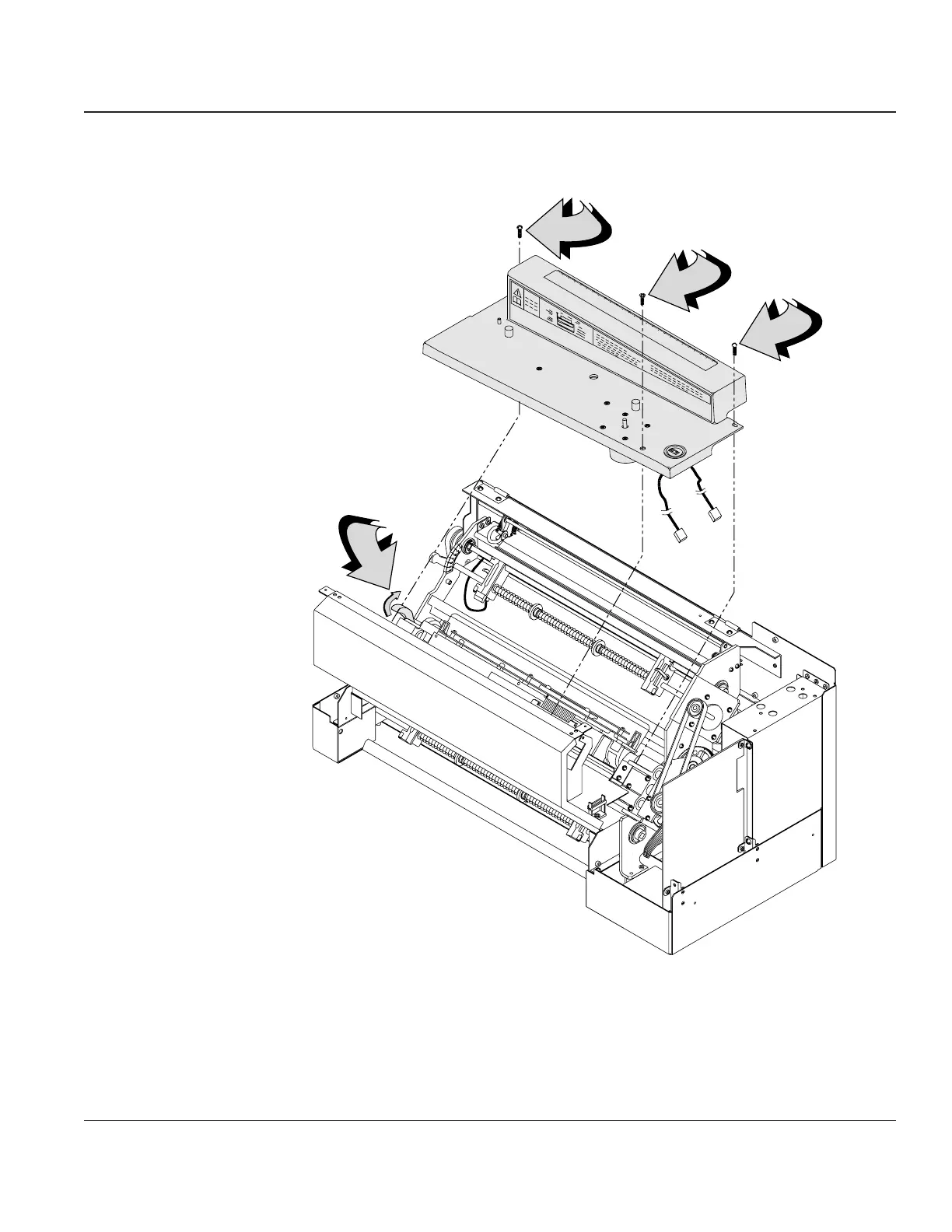
STEP 5. Remove the three mounting screws that secure the Ribbon Platform to the printer. Now you
can lift the Ribbon Platform out of the printer.
Raise
Form Thickness
Lever
Ribbon
Platform
Remove the three
mounting screws
Figure 4–15. Removing the Ribbon Platform
Reinstalling
To reinstall the Ribbon Platform, reverse the sequence of removal steps.



 To Next Page