Chapter 4: Removal and Reinstallation Procedures
4 –27
Procedure 16 – The Platen
Before beginning this procedure, turn the printer off and disconnect the power cable.
Removing
STEP 1. Remove the Hammer Bank (see Procedure 11).
STEP 2. Remove the Left End Cover (see Procedure 8).
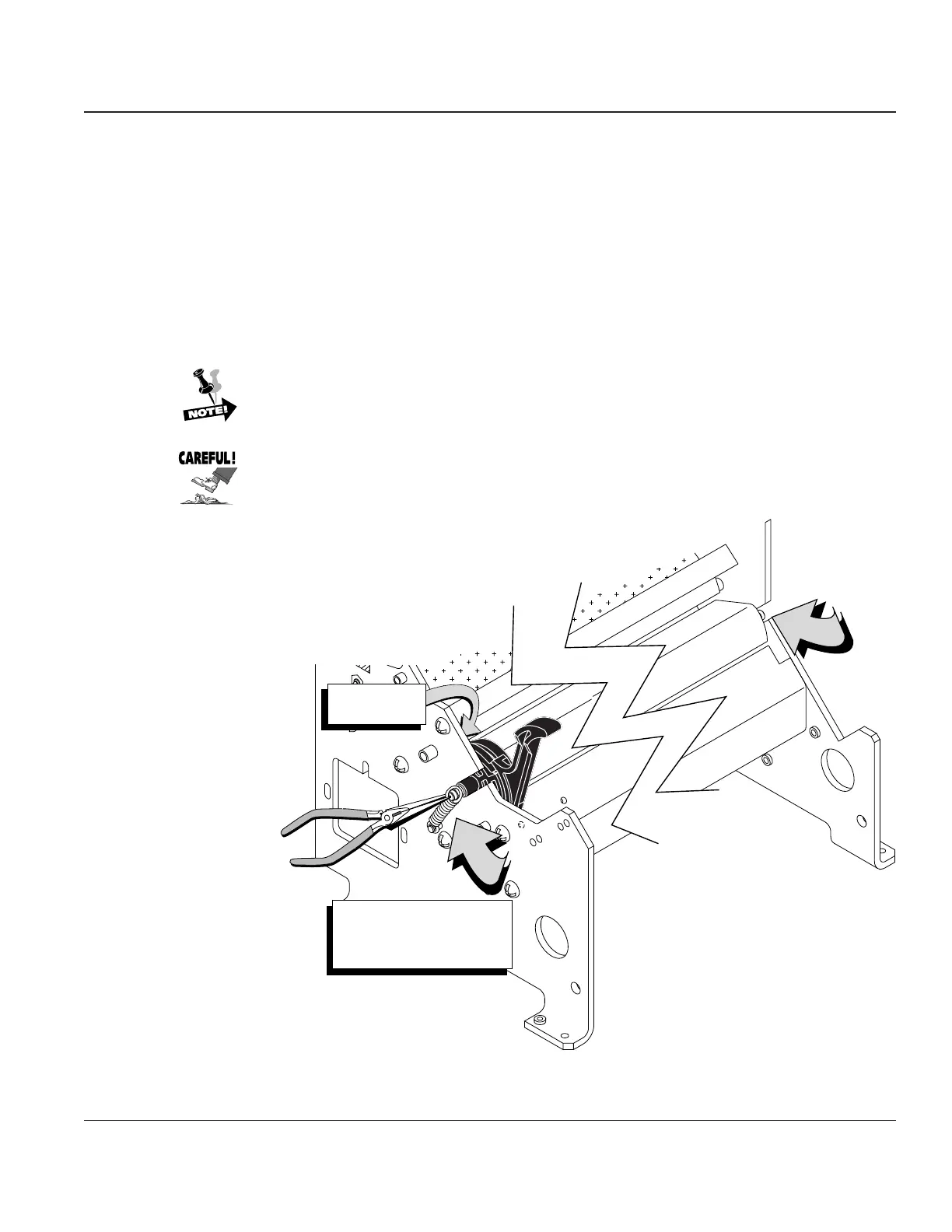
STEP 3. Remove the two springs (one on each end of the platen) that hold the platen in place.
Disconnect the Platen Open Sensor from the left end of the platen, then lift the Platen out of
the printer.
It may help to disconnect it if you first disconnect the sensor cable (J601) from the Main
Controller CBA to allow some slack in the cable.
The Platen Open Sensor is held in place on the Platen by two small plastic tabs.
Be careful not to damage them when you disconnect the sensor from the
Platen.
Remove Springs-
Right and Left ends
of the Platen
Platen Open
Sensor
Figure 4–24. Removing the Platen



 To Next Page