T6090 Maintenance Manual
4–14
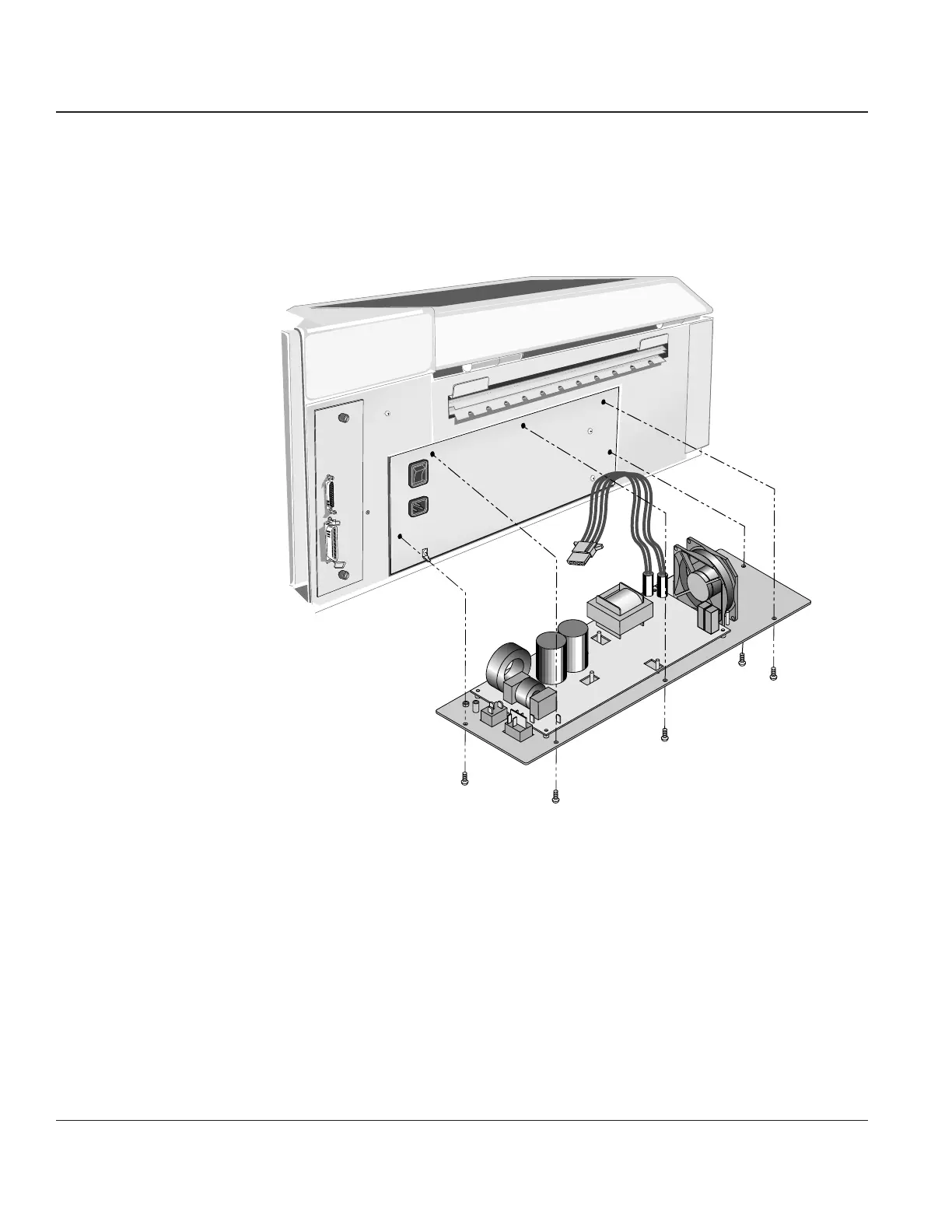
STEP 2. Remove Right End Cover (see Procedure 3) and disconnect the Power Supply from the Engine
Controller CBA (J302 ) and remove the cable from the cable supports (2 ea) that route the
cable to the Engine Controller CBA.
STEP 3. Remove the five screws securing the Power Supply to the printer. You can now remove the
Power Supply from the Printer.
Figure 4–12. Removing the Power Supply
Reinstalling
To install the Power Supply, reverse the sequence of the above steps.



 To Next Page