T6090 Maintenance Manual
4–2
Procedure 1 – The Printer Lid
Before beginning this procedure, turn the printer off and disconnect the power cable.
Removing
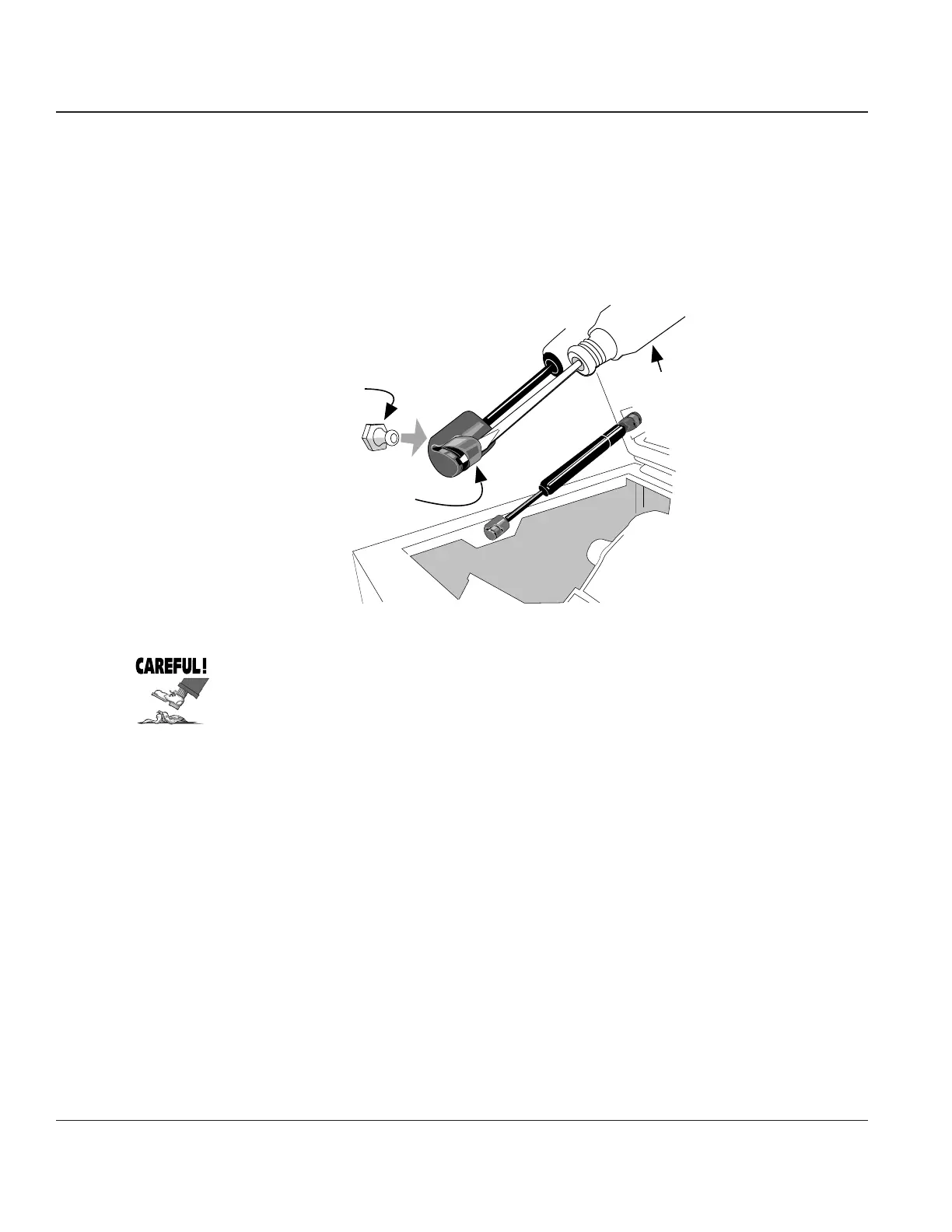
STEP 1. Raise the printer lid. Grasp the gas spring near where it connects to the printer cabinet. Insert
a narrow screwdriver under the spring clip on the gas spring where it attaches to the printer.
Lift the clip straight up until it unlocks and the gas spring can be easily taken off its post.
Spring Clip
Pivot Post
Small Flat Blade Screwdriver
Figure 4–1. Disconnecting the Gas Spring
The printer lid is heavy and will immediately try to come crashing down onto
whichever part of your anatomy is within reach when you remove the end of the
gas spring from its post. So be careful when you disconnect the gas spring!



 To Next Page