T6090 Maintenance Manual
2–4
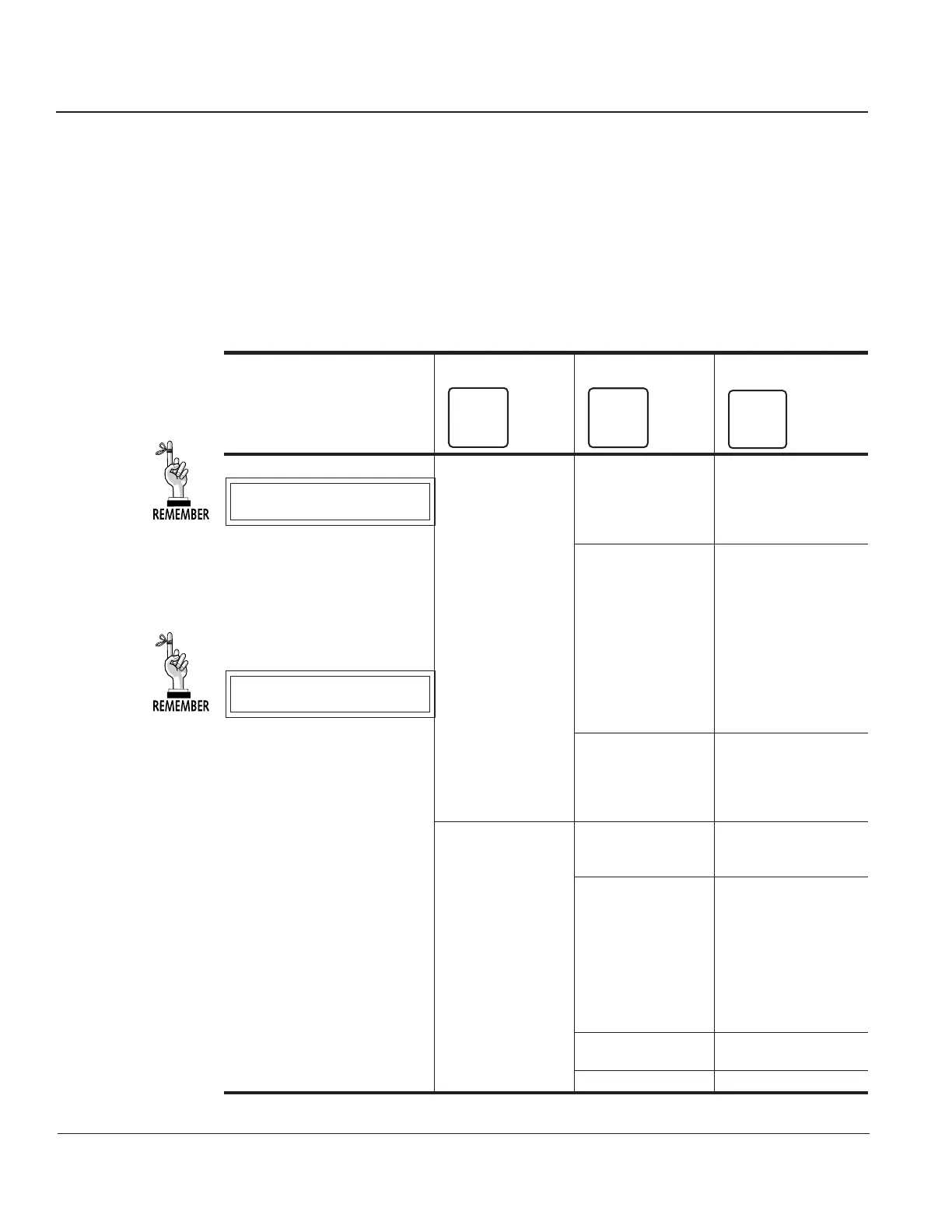
TEST Menu
The TEST Menu contains the parameters for testing printer operation, adjusting print quality,
and controlling fault reporting. There are three categories in this menu: Pattern, Diagnostics,
and Fault Override.
The table that follows presents the categories, parameters, and parameter selections that will
appear in the TEST Menu while the printer is in Tech Access Mode.
Table 2–1 Test Menu
To access ➛ Categories Parameters Selections
Depress this key ➛
FORMS
1
Level 1
CPI
2
Level 2
LPI
3
Level 3
Pattern Print Upper
All Chrs
63/69
ECMA
Columns
Print2 PaperSv
ThermCy
Lower
1 Line
All H's
All E's
All #'s
All +'s
Parens
Rubout
Ribbon
Plot Grid
Cross
Gray
Black
Block
Diag PrntCal Hammer
Current
Pap Out
Meter Pap Out
Pap Mot
Sht Sen
Rib Mot
Tmp Sen
Power
Platen
Current
Keypad
Motors Ribbon
Shuttle
Sht Spd 23–48
Use the ▲ Key to scroll to the
desired selection.
Use the ENTER Key to select
a value or option.



 To Next Page