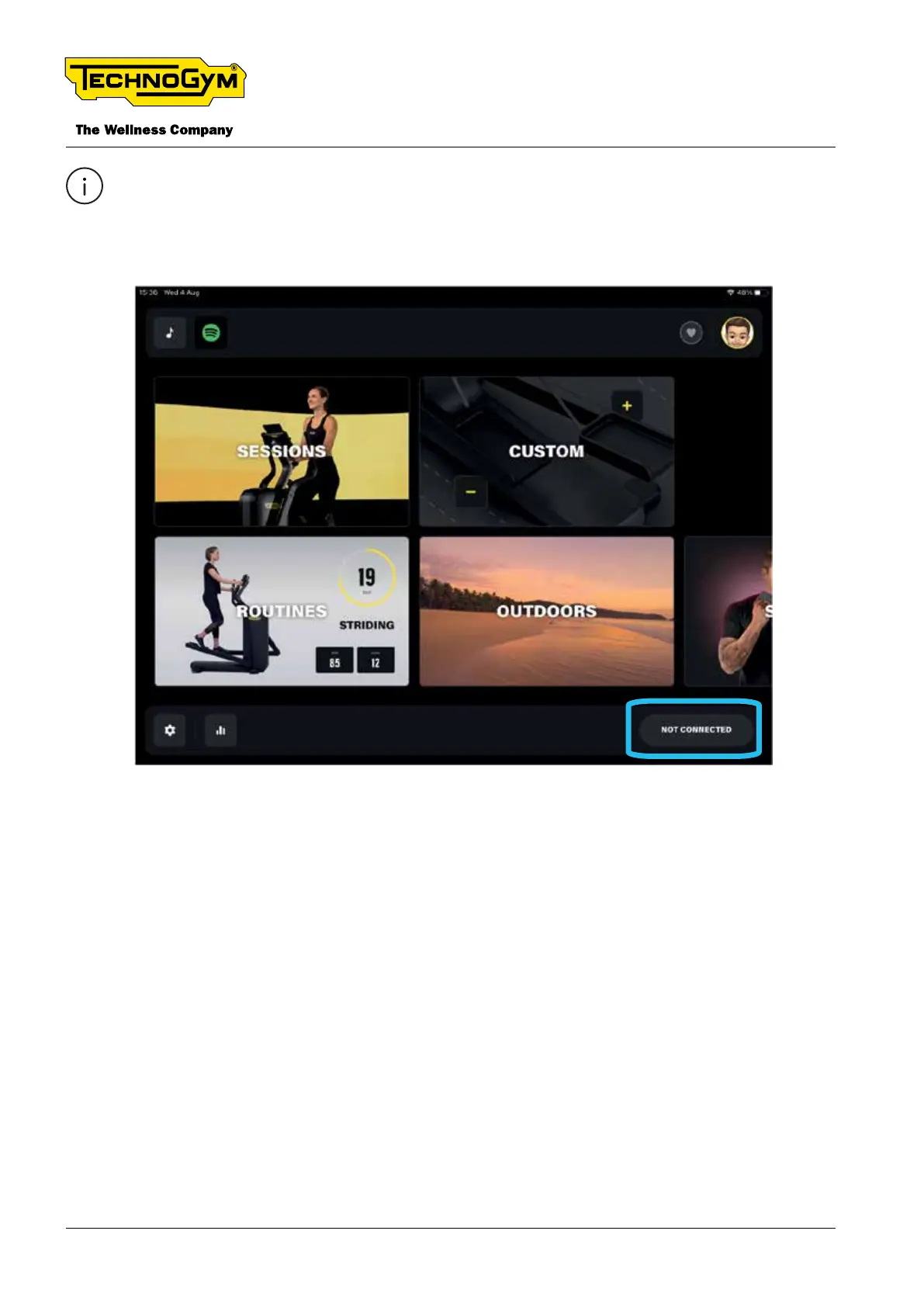
If the Tablet nds two or more Technogym Elliptical equipment, the below screen will be dis-
played again. Then click on the “NOT CONNECTED” button, select the correct equipment
to connect it to the Technogym Live App and start the workout.
Fig. 17
5.4 QUICK EXERCISE DATA SETTINGS
To change the exercise settings, the display must be ON, but no exercise should be in progress. To
turn on the display, pedal at a slow speed for a few seconds.
To set the distance unit of measurement (km or mls) keep the fast track control with the “-” pressed
for 10 seconds.
To switch from cadence (spm) to speed value (km/h), keep the fast track control with the “+” pressed
for 10 seconds.
TECHNOGYM ELLIPTICAL Technical Service Guide
Rev. 1.1
- 34 -
Uncontrolled copy if printed Uncontrolled copy if printed




 To Next Page