Getting S tarted
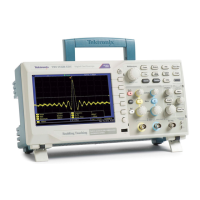
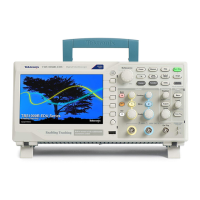
TBS1000B and TBS1000B-EDU Series Digital Storage Oscilloscopes are small,
lightweight, benchtop instruments, which you can use to take ground-referenced
measurement
s.
This chapter describes how to do the following tasks:
Install your product
Perform a brief functional check
Perform a probe check and compensate probes
Match your probe attenuation factor
Use the self calibration routine
NOTE. You can select a language to display on the screen after you power on
the oscilloscope. At any time, you can access the Utility ► Language option to
select a language.
General Features
Model Channels Bandwidth Sample rate Display
TBS1052B-EDU
250MHz
1 GS/s Color
TBS1052B
250MHz
1 GS/s Color
TBS1072B-EDU
270MHz
1 GS/s Color
TBS1072B
270MHz
1 GS/s Color
TBS1102B-EDU
2 100 MHz
2 GS/s Color
TBS1102B
2 100 MHz
2 GS/s Color
TBS1152B-EDU
2 150 MHz
2 GS/s Color
TBS1152B
2 150 MHz
2 GS/s Color
TBS1202B-EDU
2 200 MHz
2 GS/s Color
TBS1202B
2 200 MHz
2 GS/s Color
Context-sensitive help system
7-inch color LCD display
Educational courseware integrated in the instrument (EDU models only)
Limit tests, data logging, and trend plots (non-EDU models only)
Dual-channel independent counters
Selectable 20 MHz bandwidth limit
2,500 point record length for each channel
TBS1000B and TBS1000B-EDU Series Oscilloscopes User Manual 1


 To Next Page
 Loading...