Telephone Line Emulator User’s Manual
40-400-00020, Rev. M 6
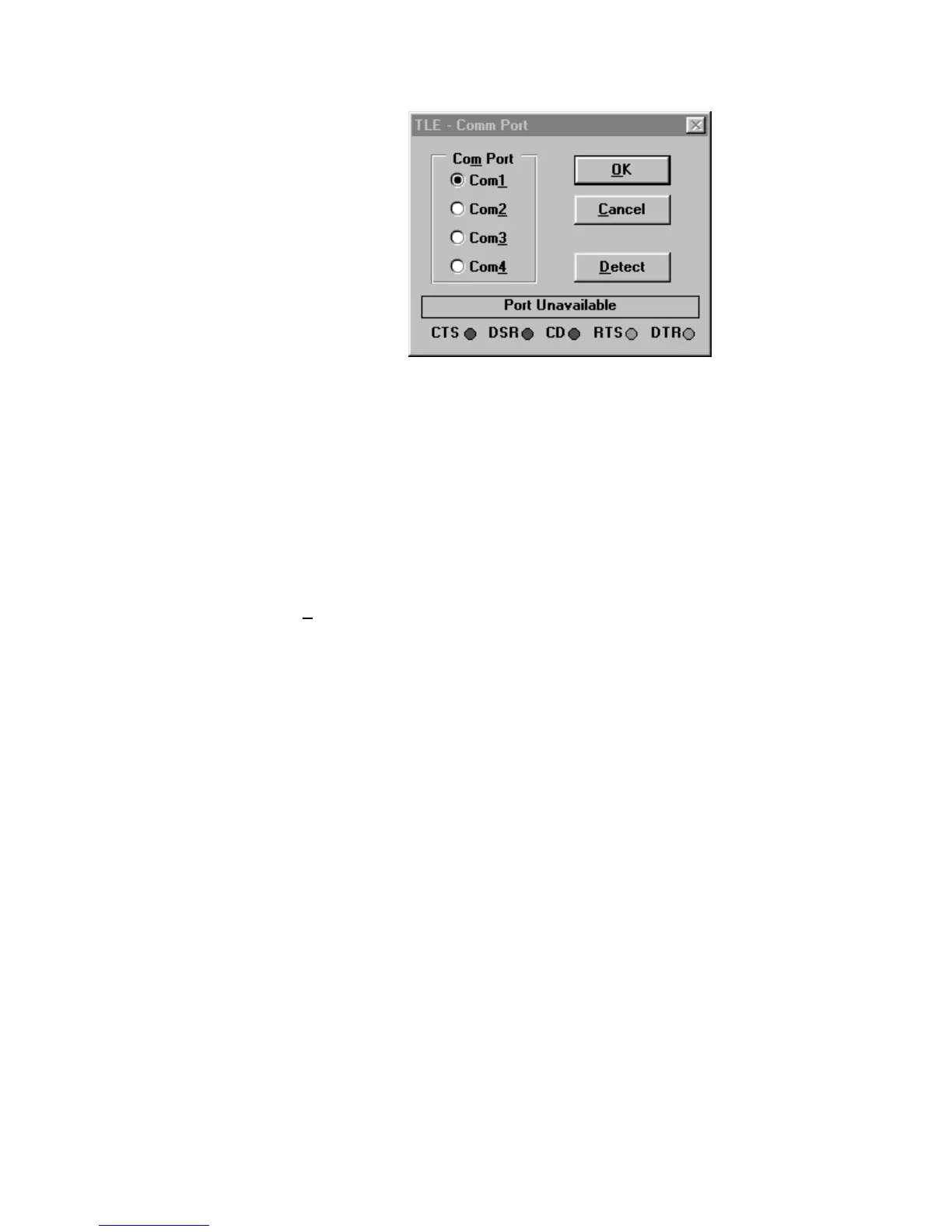
Figure 2. TLE - Comm Port Screen
Windows 3.1 and Windows 3.11 (Windows for Workgroups)
1. Insert the CD-Rom into the drive.
2. Using the Windows Program Manager, Select File, Run.
3. Type in your drive designator, followed by Setup.exe
example: r:\setup.exe
4. Follow the instructions on the screen to complete the installation.
5. Confirm that the correct communications port is configured. PC-Software V2.00 and
greater will automatically display the TLE-Comm Port selection screen if the TLE is not
connected or uses a port other that Comm1. Select the appropriate port and then
D
etect. The TLE software will test to see if your TLE is connected. The control leads
status are shown at the bottom of the window. If the TLE is connected with the proper
cable; all should be green. If not; CTS, DSR, and CD are normally red. Select Cancel
if your TLE is not connected at this time. Select OK to complete the CommPort
selection.
TLE Operation
The following call process flowchart will help to explain the basics of call setup and
completion. More detailed explanations are included after the flowchart.



 To Next Page