Telephone Line Emulator User’s Manual
40-400-00020, Rev. M
11
a three beep confirmation tone (if enabled), and the display will show the new
configuration following an initialization sequence. If an error in the entry occurs, the TLE
will respond with a single beep error response.
Selecting Active Configuration using the serial port
The Active Configuration may be selected via the serial port with PC_TLE software 2.00 or
greater. This is accomplished by setting up the serial port at 9600 baud, 8 data bits, 1
stop bit, no parity, hardware flow control, and sending an ASCII string to change the
Active Configuration. The format of the message to the TLE is either:
:XX<cr> or,
:XX,YY<cr>
The TLE will respond with !OK if the command is accepted or !ERR if it is rejected.
:XX will set the active configuration from 01 to 16 for all 4 ports and :XX,YY will set the
active configuration XX for ports 1 and 3 and YY for ports 2 and 4.
Note: Local echo of command characters is not provided by the TLE.
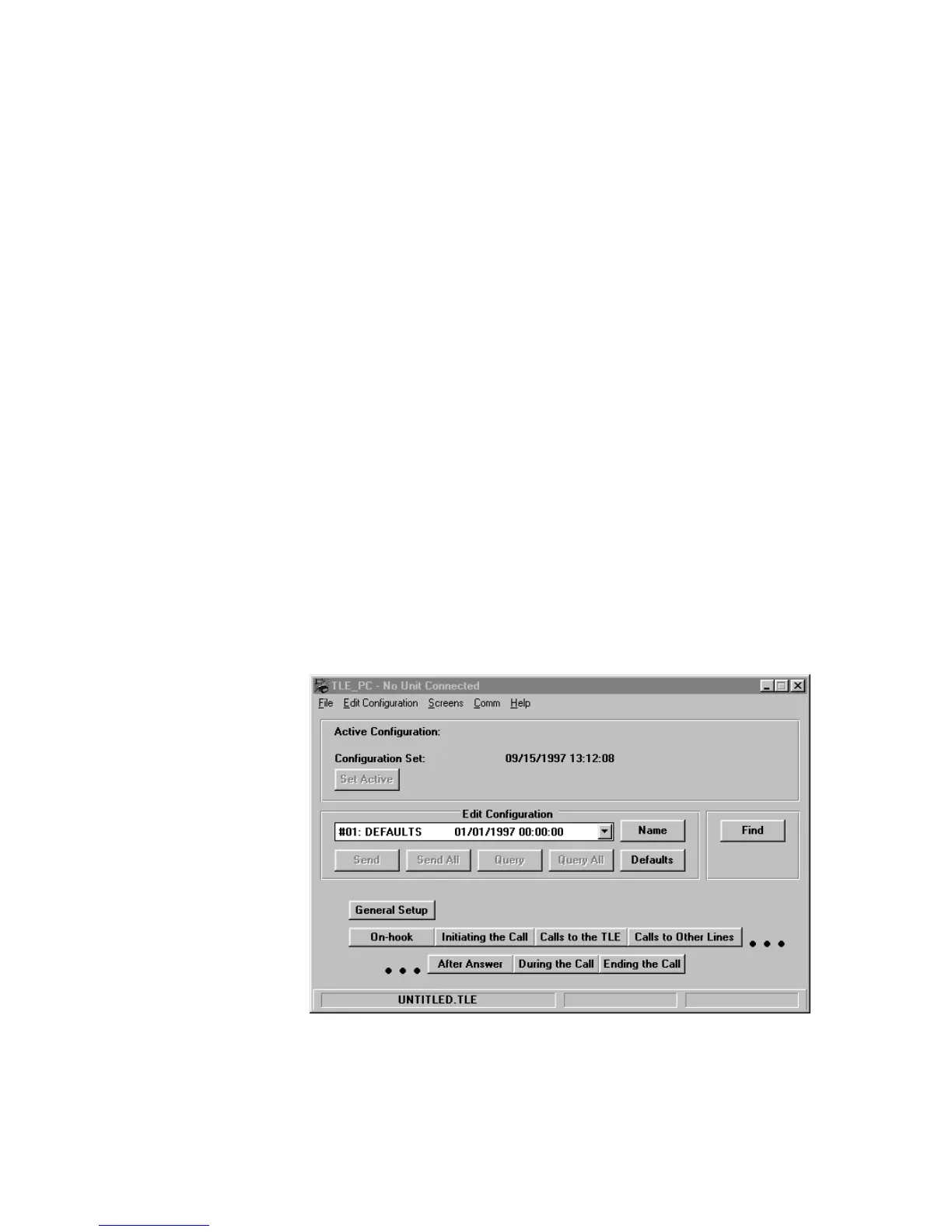
Main TLE Screen
The top section of the main TLE screen displays the Active Configuration Number,
Name, and Date/Time it was created, if a TLE is connected. This field will be blank if no
TLE is connected. It also shows the current Configuration Set Name and the Date/Time
it was created. The Set Active button allows the user to choose the Active Configuration
in the TLE.
Figure 5. Main TLE Screen (No TLE Connected)
The middle section of the screen displays the Configuration being edited. The Name
button allows the user to change the name of each configuration. The Send button sends
the current configuration being edited to the TLE. The Send All button sends all of the



 To Next Page