Advanced Mode
57
Copy Files to
Allows copying files from the MIDAS micro 2883 to the external USB Drive (arrow
to the right) or from the USB Drive to the instrument (arrow to the left).
Select files either in the file list to the left (contents of 2883 storage) or to the right
(contents of USB Drive) then click on the corresponding arrow button.
Add Folder
Allows adding a new folder on the external USB Drive
Go to higher level folder
Click here to go one level up in the folder hierarchy.
Select File type
Allows selecting which type of file is displayed in the file lists. Measurement files
(xml or csv) and Image Files (bmp) are possible selections.
Images can be used in self-defined sequences. See chapter 11.2.1 Setting up a
Sequence.
11.2 Sequence Tab
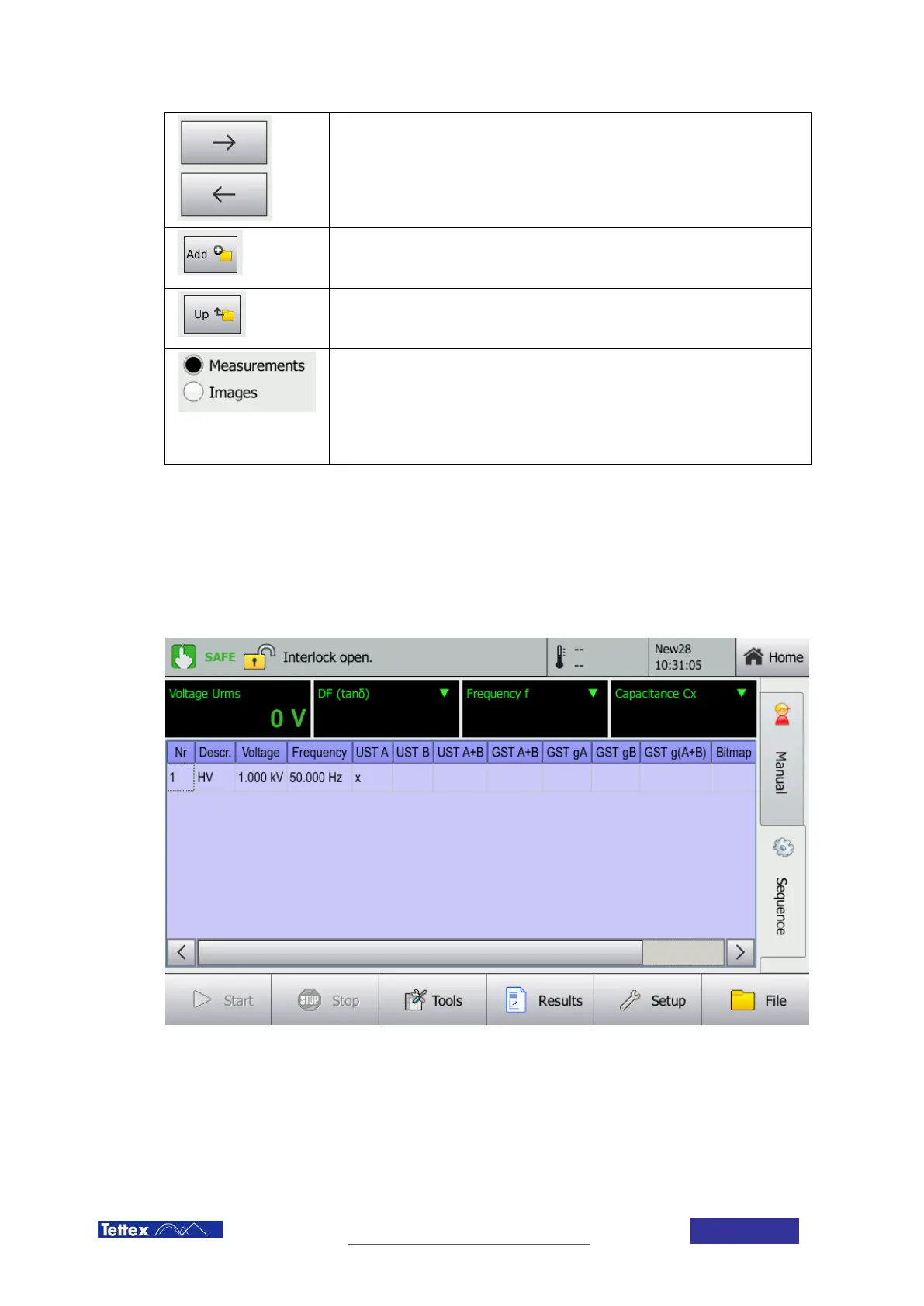
The sequence tab gives the user the possibility to generate personalized automated measurement sequences. All
the parameters can be freely determined for every step. In addition to that images and instructions can be defined
to lead through the test procedure.
11.2.1 Setting up a Sequence
The sequence can be defined in the sequence window. Each value can be edited by double clicking the
corresponding cell or by marking it and the using the edit command in the tools menu.



 To Next Page