12 Setup
The setup screen can be accessed from different modes. Dependant on that mode the setup tabs may vary.
12.1 DUT tab
Not available in: Homescreen
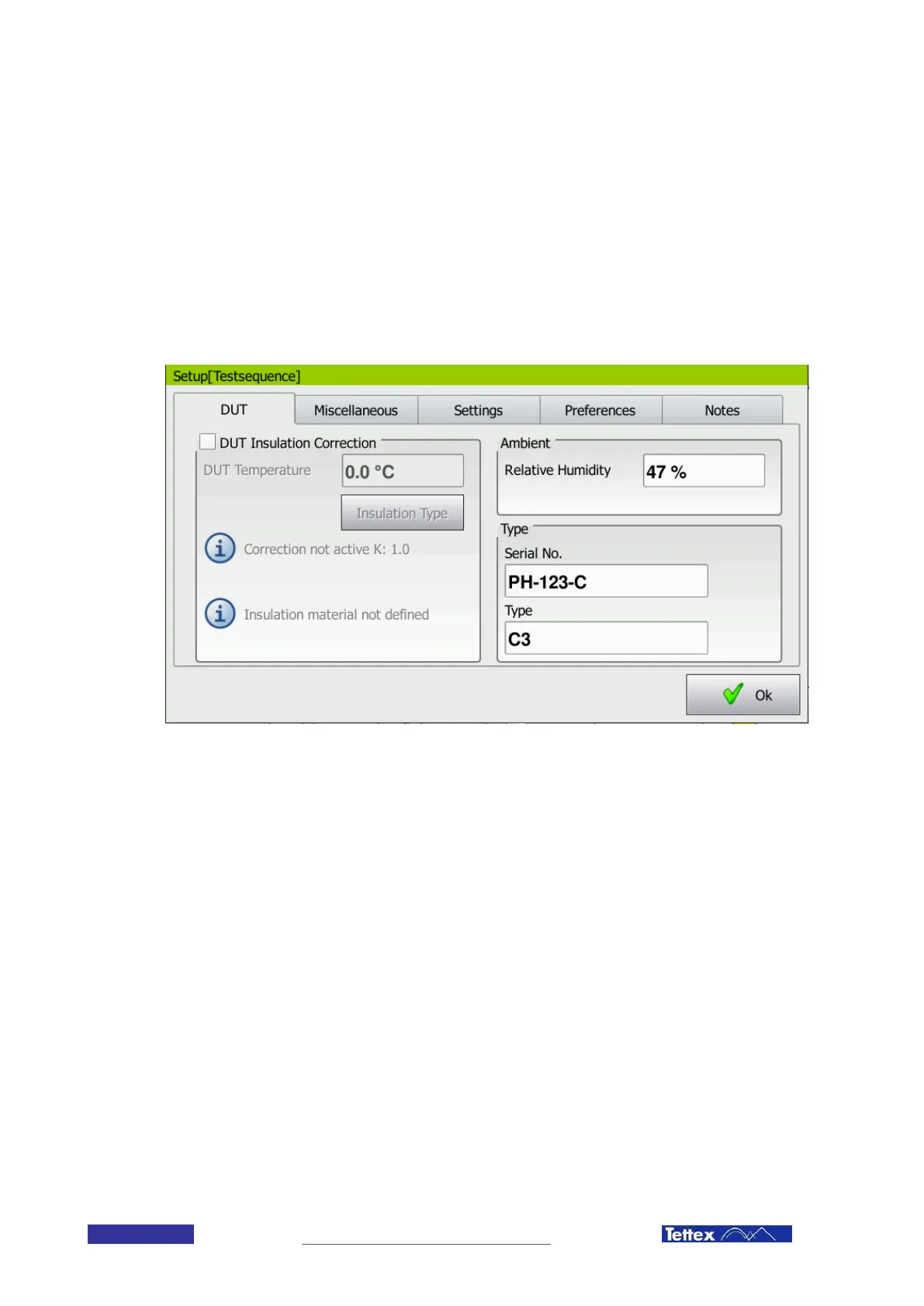
The DUT tab
On the DUT tab the user can enter information about the device under test. Under Type the serial number and the
type of the device can be entered. In the Ambient box the relative humidity can be entered (for example measured
with the optional hygrometer).
On the left side the DUT Insulation Correction allows the user to define the insulation type of the device under test
and to correct the measured values according to this insulation type and the temperature. The DUT Temperature
can be entered manually (when measured with the hygrometer) or will be measured automatically (when using the
optional external temperature probe)
By clicking on the Insulation Type button the following dialog window opens up.



 To Next Page