Guided Mode
41
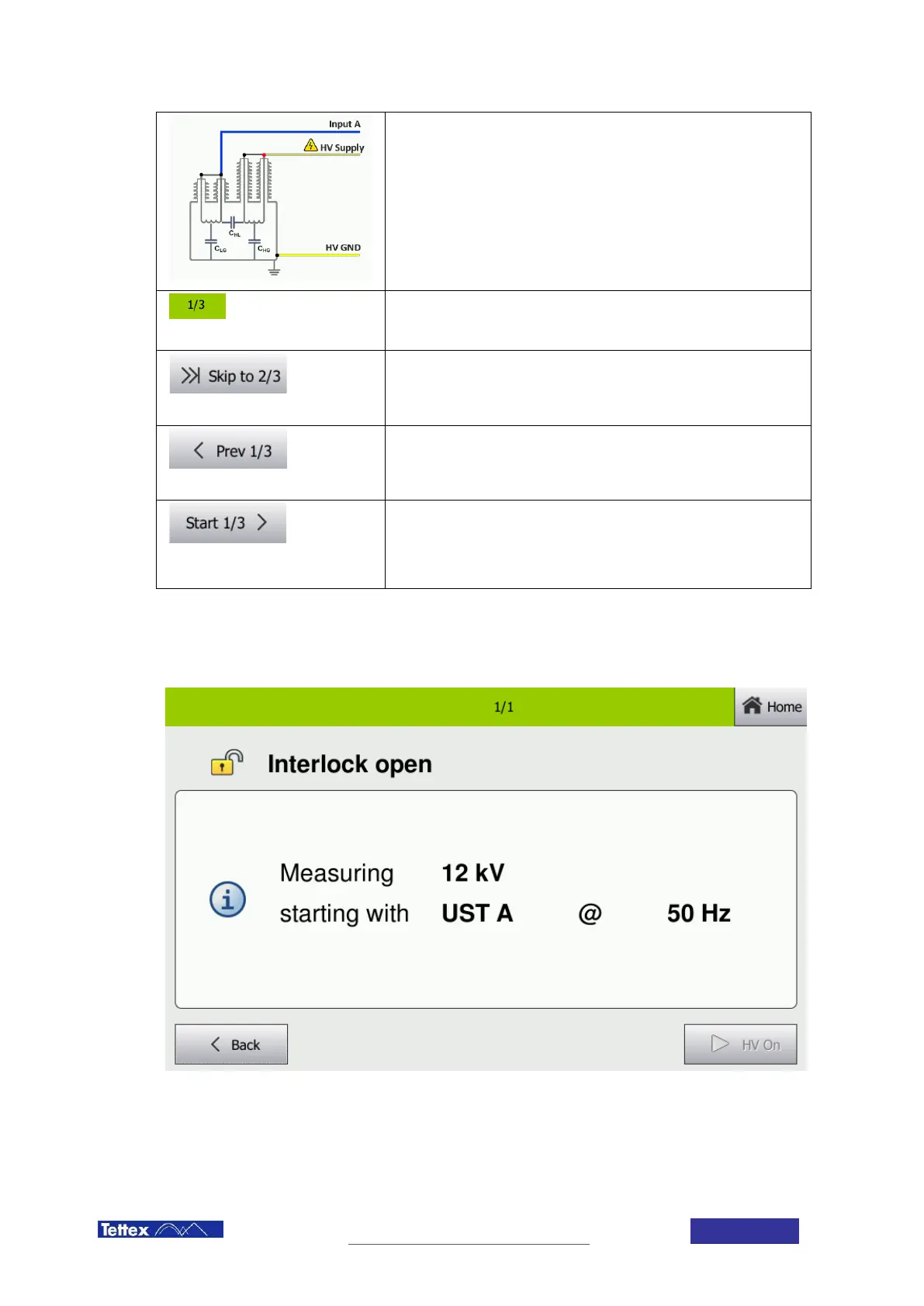
Connection schematic
Connect the measuring cables and the HV supply cable as shown on
the image. Do not forget to use proper grounding as the earthing cable
is not shown in the schematic.
Progress
Shows the progress of the measurement.
Skip Button
With the skip button you can skip one of the steps. This can be helpful if
you want to measure only part of a DUT without running the whole test.
Previous Button
With that button you can go back one step in the measurement
sequence.
Start Button
This button will start the measurement step currently described on the
display. This leads to the measurement start screen described in the
next chapter, where the high voltage can be turned on.
10.3 Measurement Start Screen
Before the measurement can be started the measurement start screen informs the user about the measurement
which will be performed. Also the pending warning and error messages are displayed here. As soon as no
warnings or errors are present the measurement can be started. The table below explains the different warnings
and errors.



 To Next Page