Advanced Mode
61
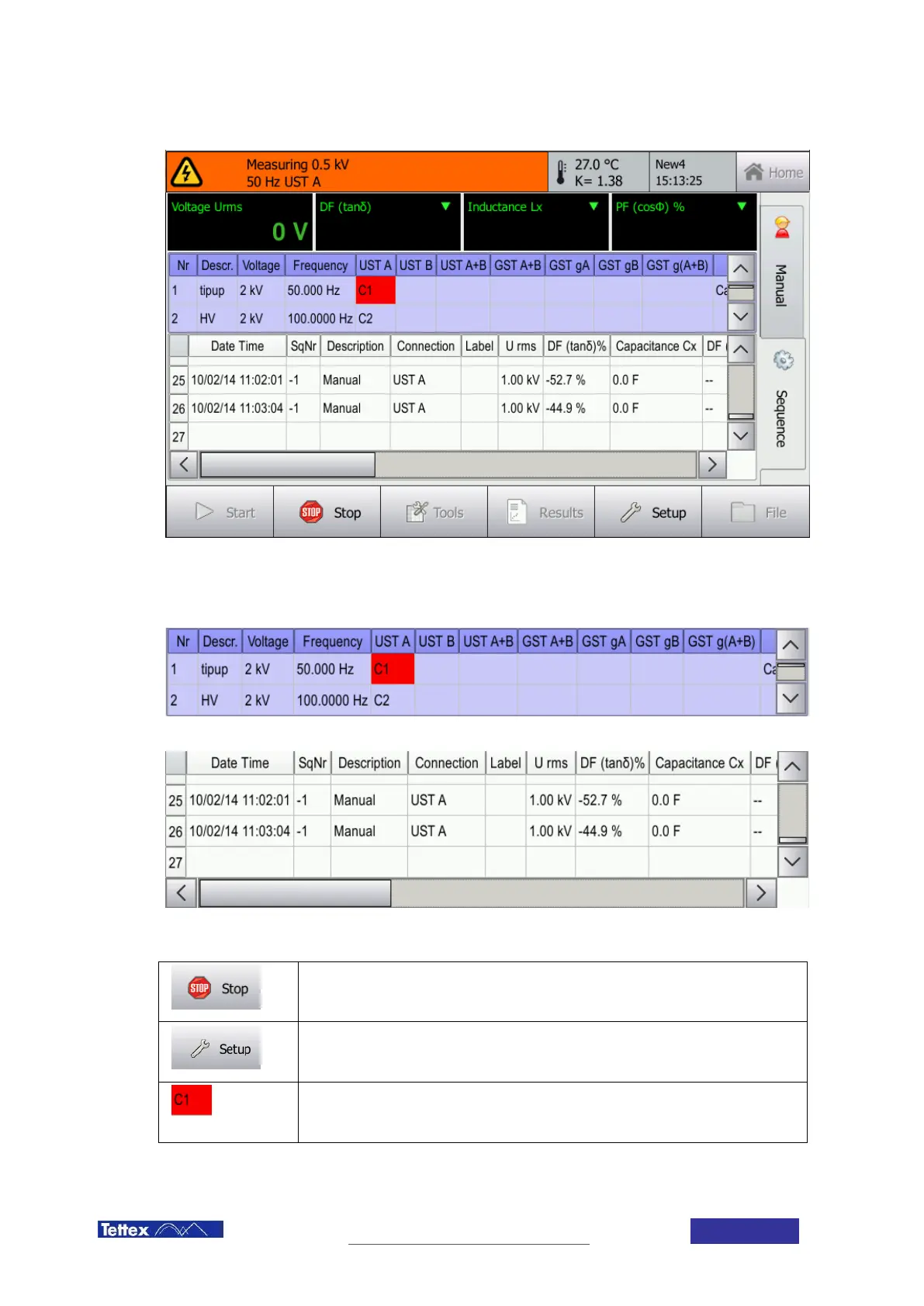
11.2.4 Sequence tab during measurement
The sequence tab during measurement
During measurement the sequence display area is split into two part: in the top the actual sequence step is shown
and in the bottom the measurement results. A red indicator marks the sequence step currently measured. The
results will be filled into the measurement display area while the sequence is running.
The sequence area
The measured values area
Stop Button
Stops the sequence and turns off the high voltage output.
Setup Button
Leads to the setup screen. See chapter 12 Setup.
Current Step
The red marker shows which measurement is currently performed.



 To Next Page