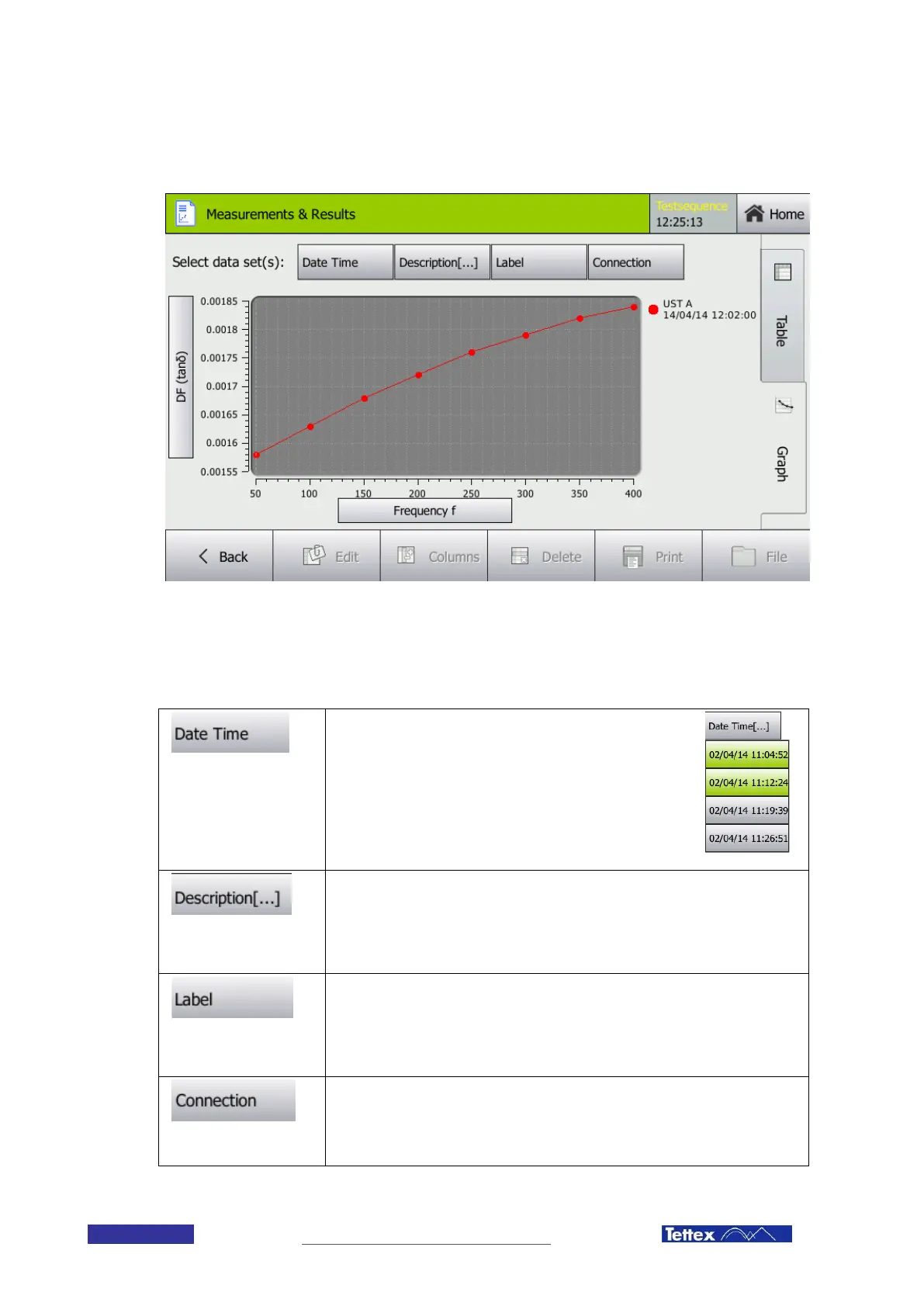
13.2 The Graph Tab
13.2.1 Filters
With the following buttons you can filter the displayed values. When clicking on one of the filter buttons a list of
available filter values will open up. You can select and deselect a filter by clicking on it. The selected filters will be
displayed in green.
Date and Time
Each measurement or group of measurements (in case of a
sequence) gets a timestamp. By selecting a certain
timestamp you select the measurement values recorded at
that time or all the values recorded in the sequence initiated
at that moment.
In the example on the right side the two measurement series
started at 11:04 and 11:12 are selected and displayed.
Description
Lets you filter the measurement values by the description parameter. In guided
mode these descriptions are predefined and express what type of measurement
has been performed. In advanced mode, the selection is corresponding to the
values entered in the description column of the sequence definition.
Label
The label is the description for each measured test mode. In Guided Mode this
label describes which capacitance of the DUT is measured. (e.g. CHL
Capacitance between high voltage side and low voltage side). In Advanced Mode
the selection will correspond to the values entered in the connection columns.
Connection
The connection lets you select values recorded with a certain test mode. Options
are UST A, B, A+B, GST A+B, gA, gB, g(A+B). Only test modes with at least one
measured value will be listed.



 To Next Page