Edit
Edits the currently selected cell.
Add Row
Adds a sequence step. The new step will be inserted after the currently
selected line, copying its values. The new line can afterwards be edited.
Delete Row
Deletes the currently selected row(s)
Voltage Steps
Define a sub sequence of
voltage steps. You can create
automatically multiple voltage
measurement points by giving
a start and an end voltage as
well as a step size.
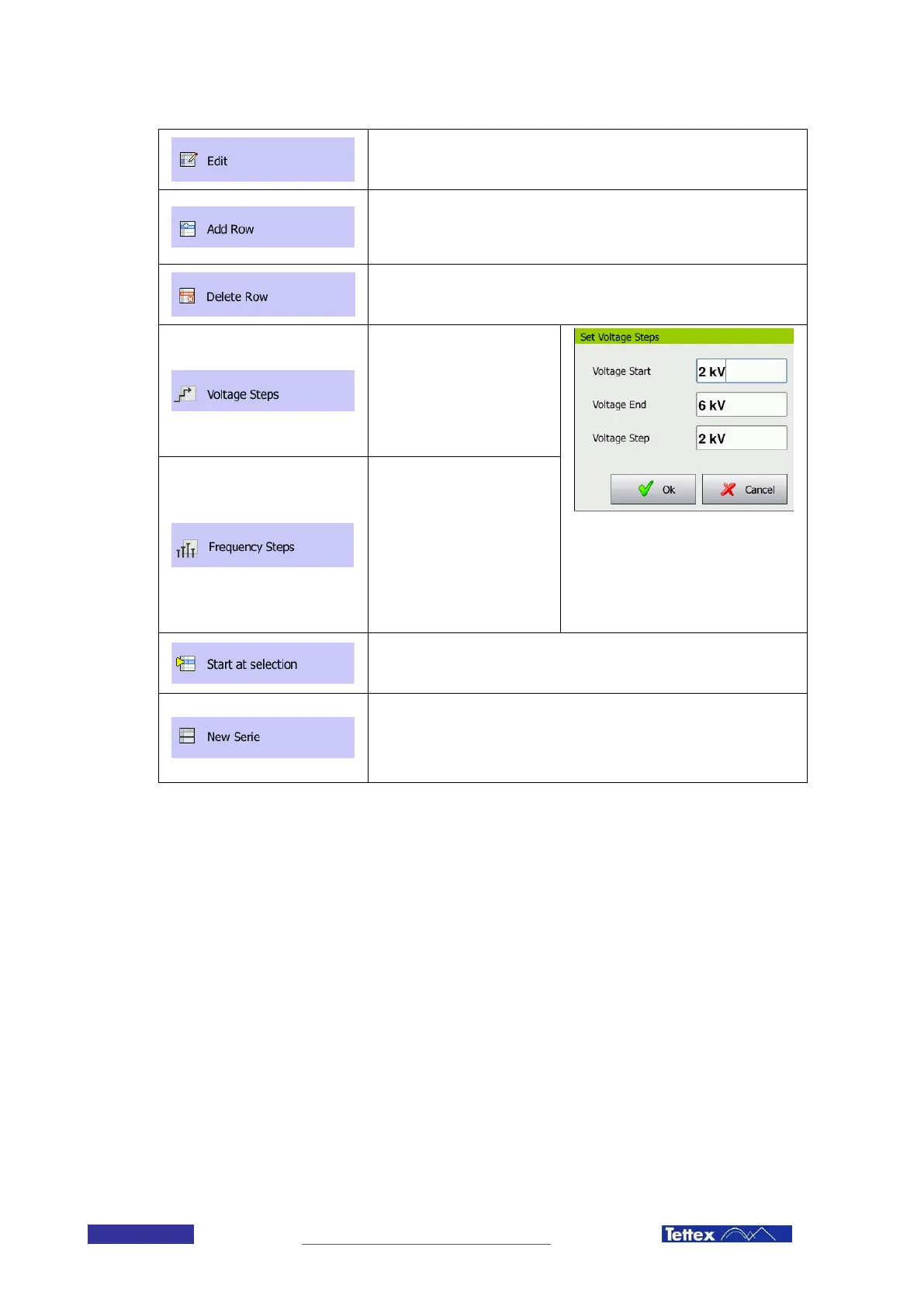
Enter a start and end voltage/frequency
as well as a step size. The software
generates a sequence with these
parameters. In the given example the
sequence steps would be: 2kV, 4kV,
6kV
Frequency Steps
Define a sub sequence of
voltage steps. You can create
automatically multiple voltage
measurement points by giving
a start and an end voltage as
well as a step size.
Start at selection
Starts the sequence at the currently selected cell in the sequence window.
New Series
Inserts a blank line in order to divide the sequence into sub sequences.
This blank row will also appear in the results and allows grouping together
parts of the sequence.
11.2.3 File Menu
The file menu in the sequence tab is identical to the one in the manual tab, see chapter 11.1.7



 To Next Page