EX-TRACK
®
Operator Manual, Revision T-176
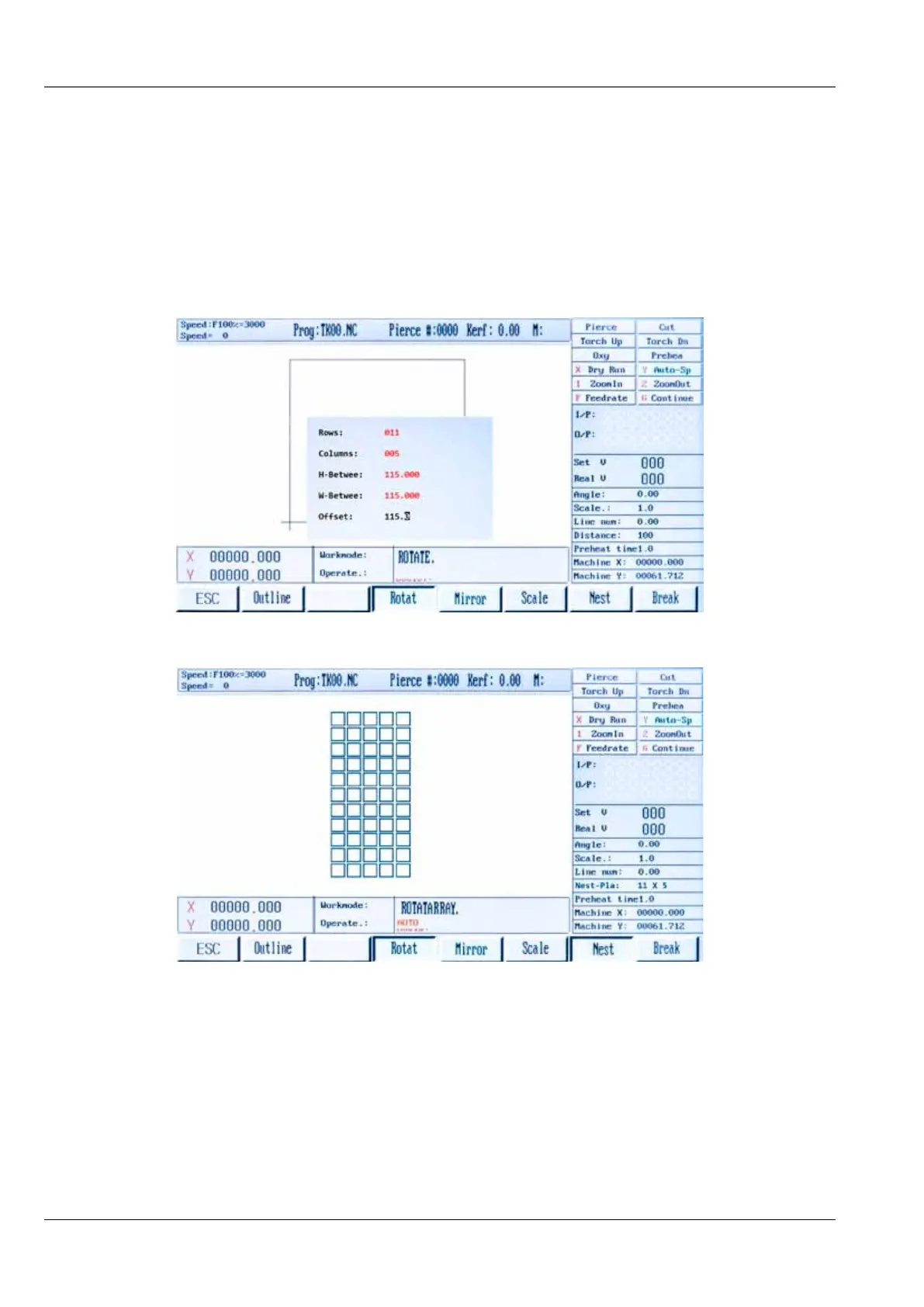
9.9.8. Graphics library (nest function)
Input the required values for the number of rows and columns, the system software automatically
calculates the row height and column width relative to the part size, manual adjustment is permitted
to improve the layout. The Row-Offset function may be used when a staggered fit gives better
results. After the choosing the shape in graphic library and adjusting the dimensions, press the [ESC]
key for access to main menu. Press [F1 AUTO] in main menu, press [F4 PREVIEW], press [ESC] , press
[F6 MORE], press [F6 NEST].
Adjust the nesting parameters and press ENTER key.
9.10. Program function
9.10.1. CNC program symbols (G - codes)
CNC systems require instructions that tell the drive motors where to move to, how fast to move and
what path to follow. Programs are made up of lines of commands using G-codes with specific values.
LETTER - codes



 To Next Page