EX-TRACK
®
Operator Manual, Revision T-1 93
10.4. Backup and restore parameters
All system parameters can be backed up to, or restored from, a USB stick. They can also be saved in
to permanent memory as the factory settings, although that procedure is not recommended for use
by end users.
To access this feature, go to the main menu in the PARAMER Window. Type the password ‘1928’ on
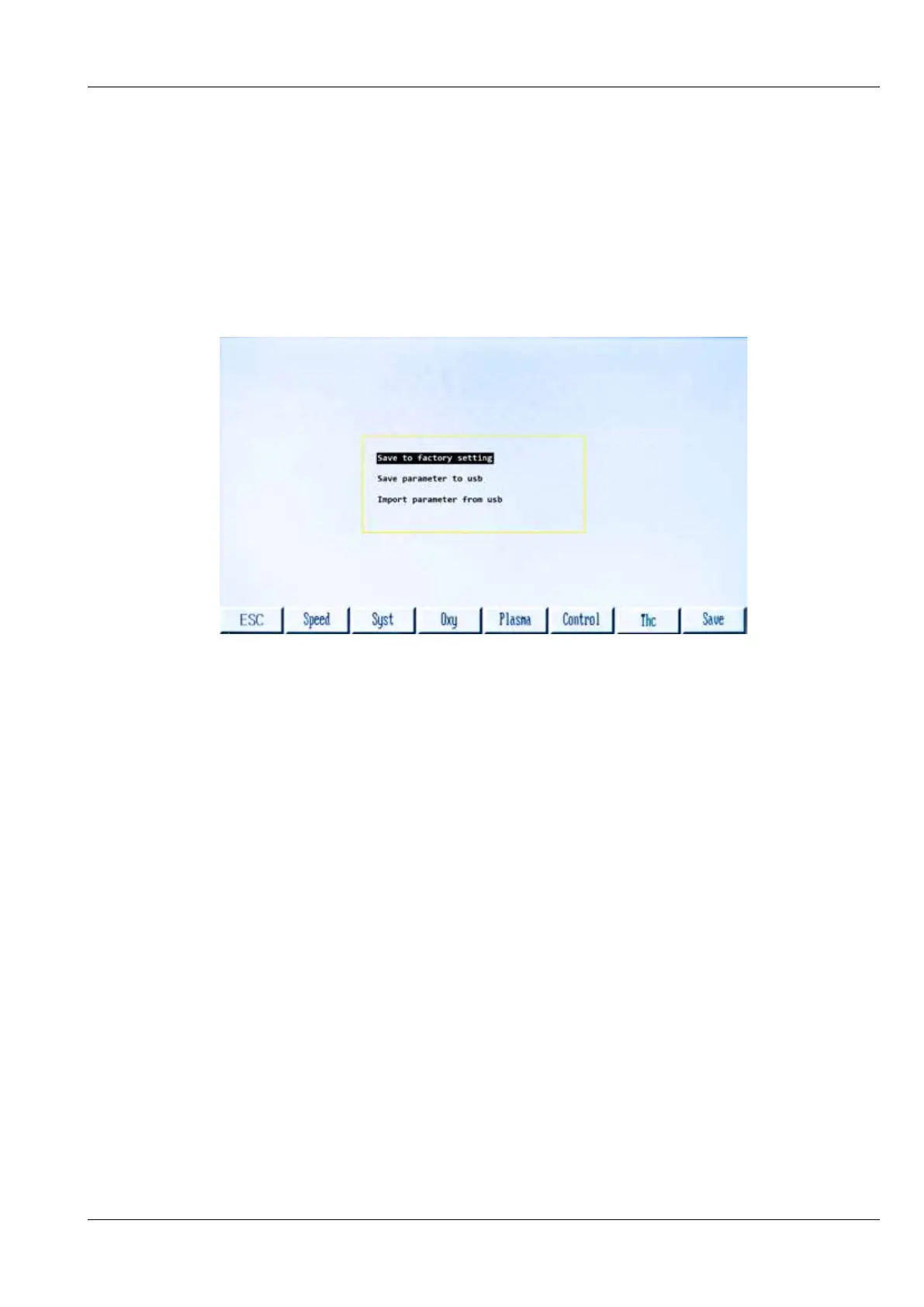
the number keypad. The following dialog will appear:
Parameter Backup Menu has three options. The three options are:
1. Save to factory setting
When this mode is selected, the [F7] key changes to show “FACTORY” in each of the Parameter
Groups. All changes that are made will be saved as “Factory Settings” when the [F7] key is pressed.
2. Save parameters to USB
This option will store parameters to the USB stick. A USB stick must be inserted. When this option
is highlighted, and then the [ENTER] key is pressed, a file named “PARA.DAT” is written to the USB
stick.
3. Import parameters from USB
This option will read in a set of stored parameters from the USB stick. A USB stick must be inserted
which has the file “PARA.DAT” present. When this option is highlighted, and then the [ENTER] key is
pressed, the “PARA.DAT” file is read from the USB stick, and all parameters are overwritten.



 To Next Page