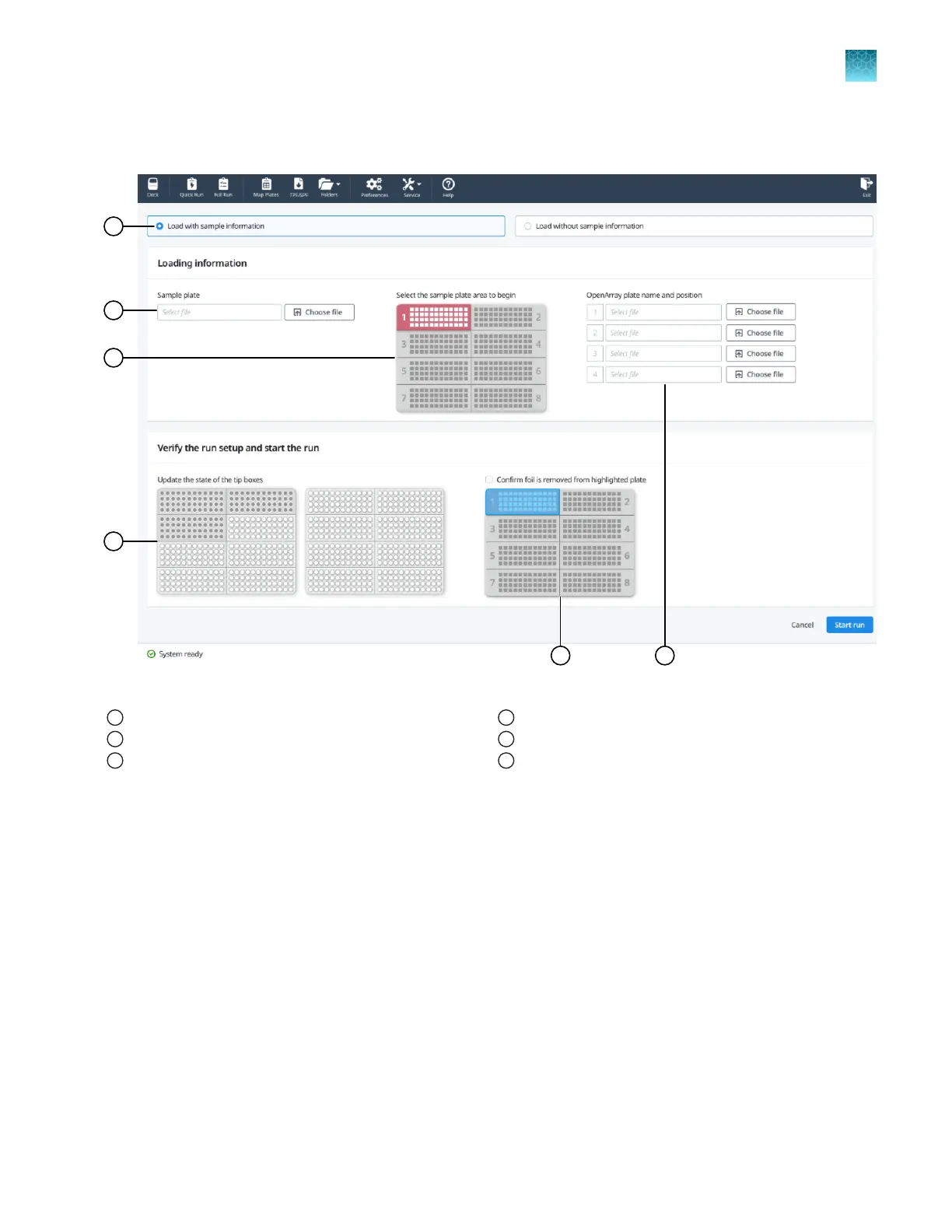
Overview of the Quick Run screens
Figure 21 Configure run pane (with sample plate information)
1
Load plate with sample information radio button
2
Sample plate file name
3
Sample plate (color-coded to correspond to the OpenArray
™
Plate)
4
Tip box status
5
Sample plate (to confirm foil is removed)
6
OpenArray
™
Plate name and position
Chapter 6 Set up and start the run with the quick run workflow
Overview of the Quick Run screens
6
QuantStudio
™
12K Flex OpenArray
™
AccuFill
™
System User Guide
41













 To Next Page