(continued)
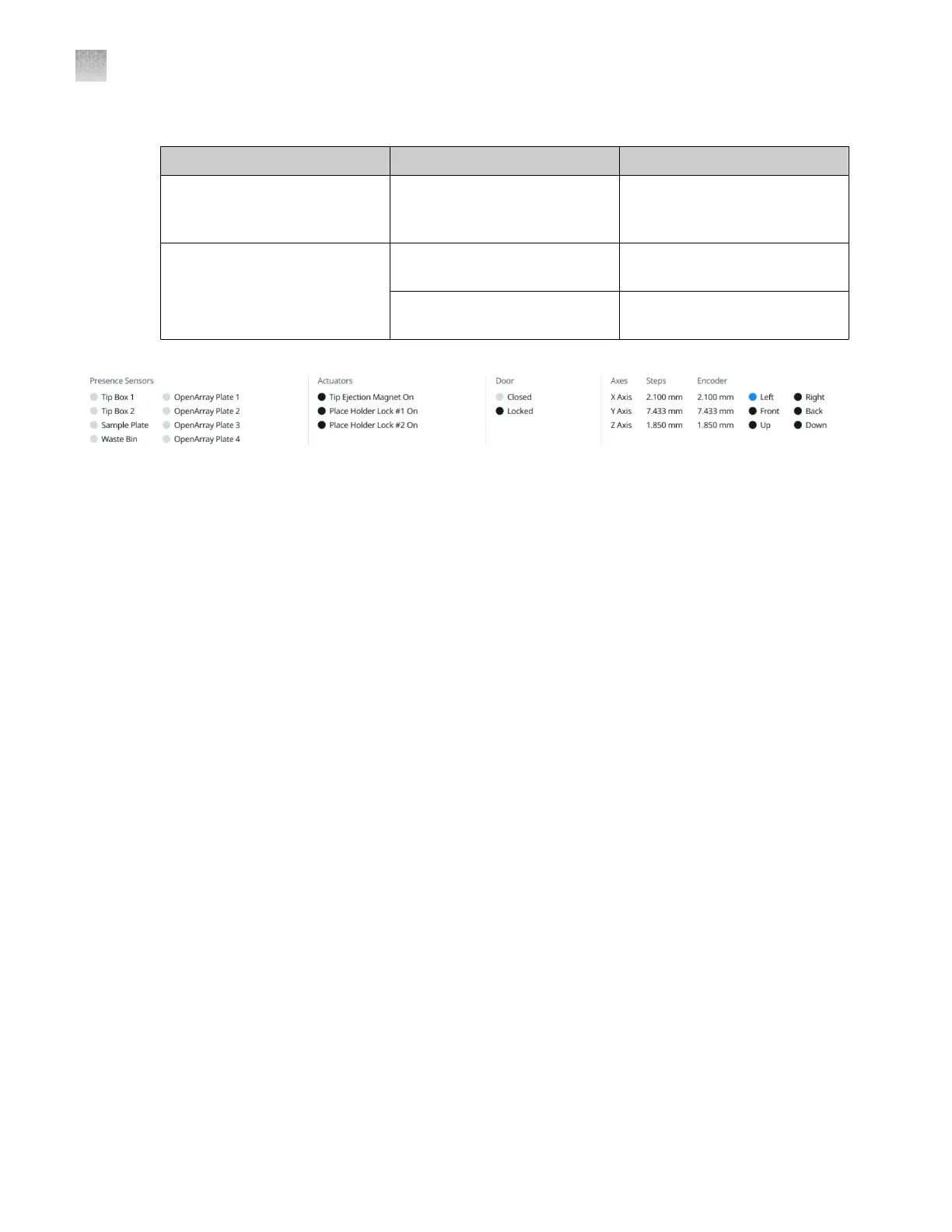
Sensor type Color Status
Actuators (tip ejection magnet,
plate holder lock)
Black The sensor for the item is
enabled but the object is not
detected.
Axes
X axis (left and right), Y axis
(front and back), Z axis (up and
down)
Blue The tip handler reaches the edge
of the axis.
Black The tip handler does not reach
the edge of the axis.
Enable or disable the presence sensors
The presence sensor for a particular item can be disabled if the reading is inaccurate. For example, if
the waste bin sensor indicates that it is not present during the self-test, but it is physically present on
the instrument deck, the presence sensor can be disabled to be able to start a run.
If a presence sensor for an item is disabled, the self-test does not test for the presence of this item.
View the status of the sensors (“View the status of the sensors” on page 77).
1.
In the Configure presence sensors section of the screen, select or deselect the checkbox for
each item to enable or disable the presence sensor.
2.
Click Reset to set the status of all the sensors to the default status of enabled.
If a presence sensor is disabled, the status is updated at the top of the screen (see “View the status of
the sensors” on page 77).
Complete the self-test with the sensor disabled before the run is started (see “Perform a system
self-test (manual start)” on page 84).
Perform diagnostics tests
Perform a door lock test
The door lock test locks and unlocks the instrument door.
1.
Click Service4Diagnostics.
2.
Select the Door Lock Test tab.
Appendix D
Manage the service settings
Enable or disable the presence sensors
D
78
QuantStudio
™
12K Flex OpenArray
™
AccuFill
™
System User Guide













 To Next Page