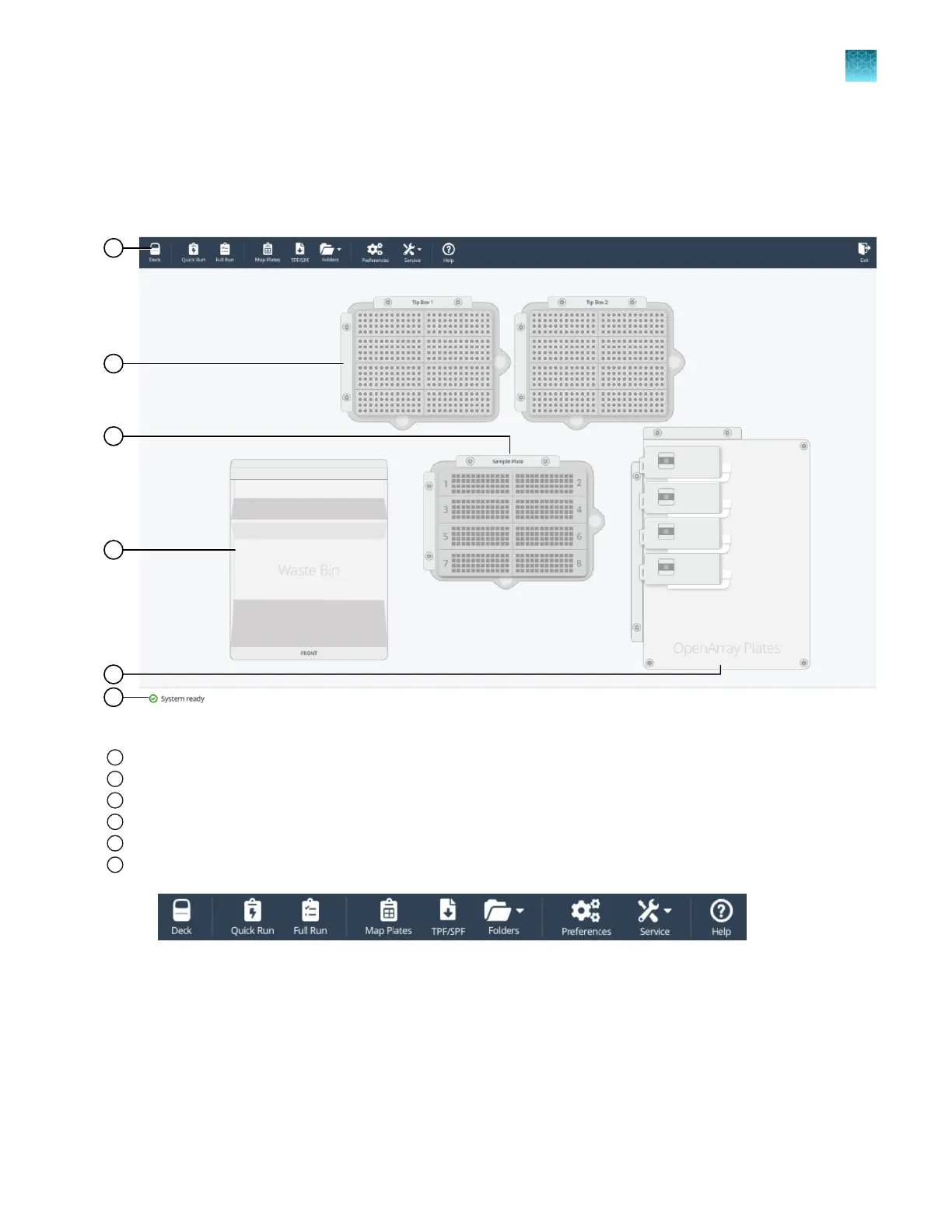
Overview of the Deck screen
The Deck screen shows the location and status of the items in the instrument.
Use the toolbar to navigate to any of the screens (see Figure 5 on page 21).
Figure 4 Deck screen
1
Deck button
2
Tip boxes (1 and 2)
3
Sample plate
4
Waste bin
5
Plate holder (for OpenArray
™
Plates, up to 4)
6
Instrument status
Figure 5 Toolbar
The instrument status is listed as one of the following options:
•
System ready
•
Busy
•
Disconnected
Chapter 3
Initialize the system
Overview of the Deck screen
3
QuantStudio
™
12K Flex OpenArray
™
AccuFill
™
System User Guide
21



 To Next Page