Monitor run progress
■
Deck screen during a run .............................................................. 55
■
Run progress ........................................................................ 56
■
Cancel a run ......................................................................... 56
■
Instrument disconnection during run .................................................... 57
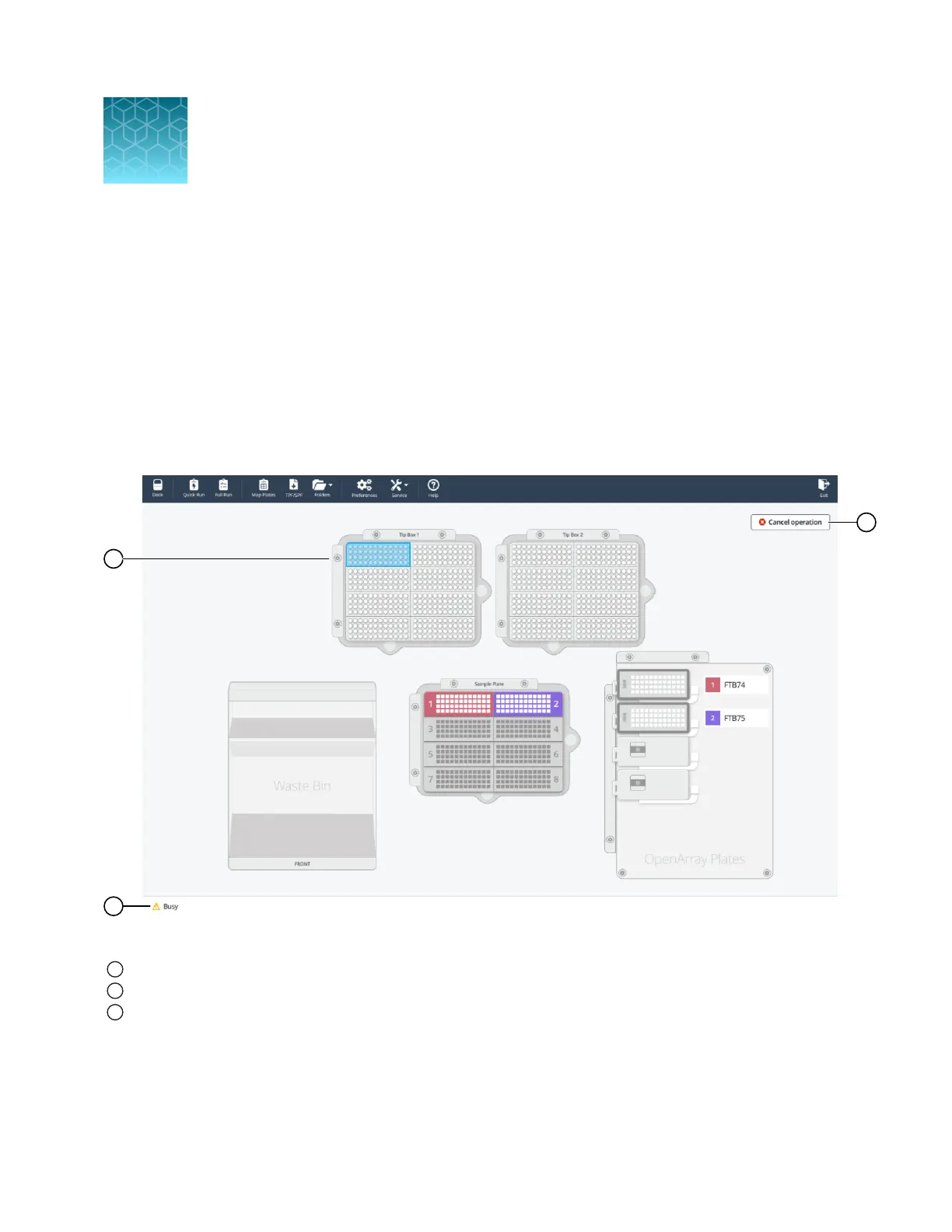
Deck screen during a run
Figure 26 Deck screen during a run
1
Blue box displays location of tip handler on the instrument deck
2
Instrument status shows Busy
3
Cancel operation button
8
QuantStudio
™
12K Flex OpenArray
™
AccuFill
™
System User Guide
55













 To Next Page