Seal the OpenArray
™
Plate
IMPORTANT! Throughout this procedure, handle the OpenArray
™
Plate and the OpenArray
™
Case only
by the edges.
Note: The OpenArray
™
Case consists of the sealed OpenArray
™
Plate and the OpenArray
™
Lid.
1.
Place the newly loaded OpenArray
™
Plate in the QuantStudio
™
12K Flex OpenArray
™
Plate Press
2.0.
Ensure that the barcode is facing left and the serial number is facing right.
2.
From the OpenArray
™
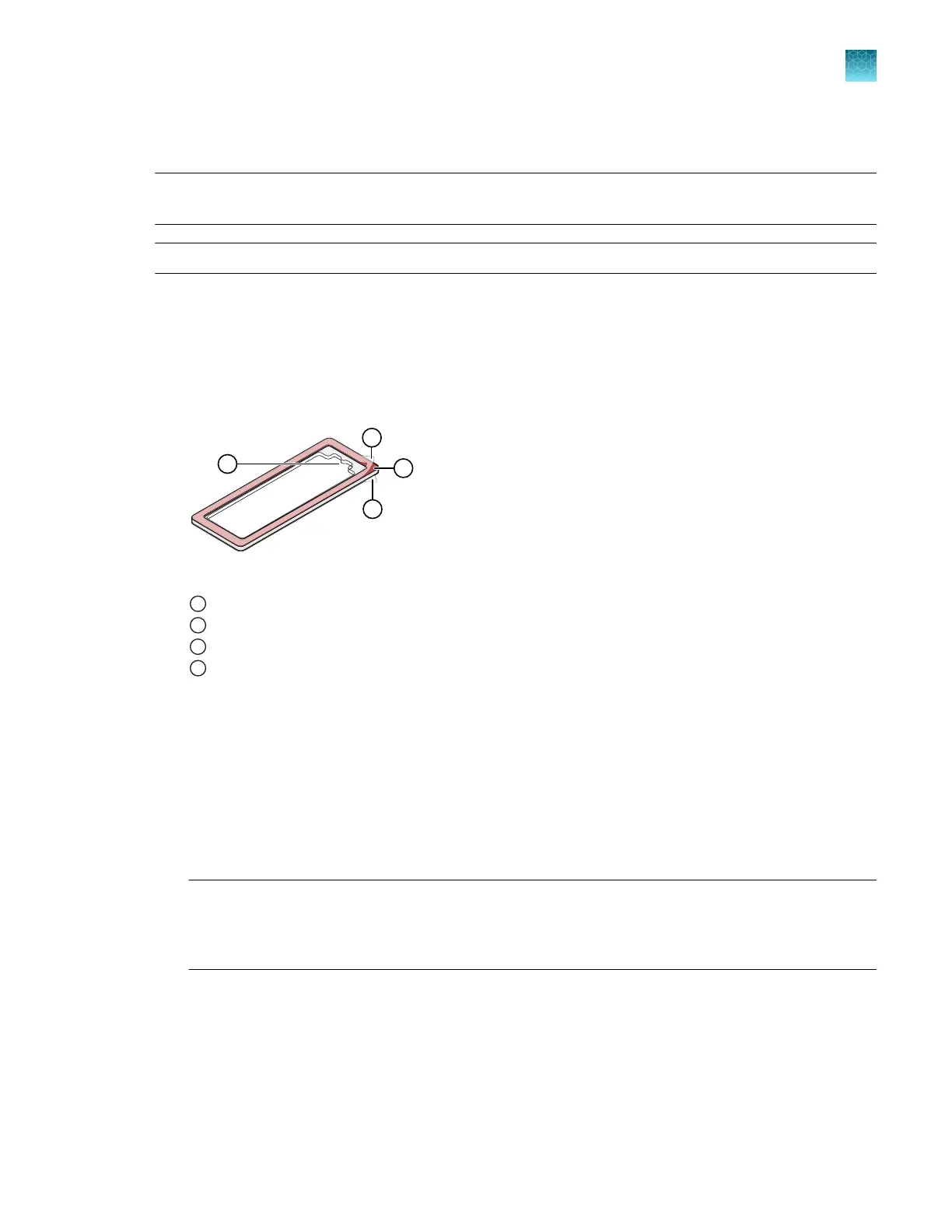
Lid, remove the clear protective film from the inside of the lid and the red
adhesive-protective strip from around the edge of the lid.
OpenArray
™
Lid
1
Protective film on inside of the lid (remove before sealing)
2
Red adhesive-protective strip (remove before sealing)
3
Protective film on the outside of the lid (remove before running)
4
Notched end (align with serial number on plate)
3.
Seat the lid on the OpenArray
™
Plate with the lid adhesive against the plate.
4.
Engage the press mechanism until the green flashing light changes to a steady green light
(approximately 20 seconds).
5.
Disengage the press and remove the OpenArray
™
Case.
6.
While holding the case by its edges, insert the prepared syringe tip into the port in the case, then
carefully inject OpenArray
™
Immersion Fluid until the case is filled.
Note:
·
Minimize creation of air bubbles when you dispense the fluid.
·
Leave a small bubble at the fill point to prevent fluid leaks during the instrument run.
Chapter 9 Prepare the OpenArray
™
Plate for PCR
Seal the OpenArray
™
Plate
9
QuantStudio
™
12K Flex OpenArray
™
AccuFill
™
System User Guide
61













 To Next Page