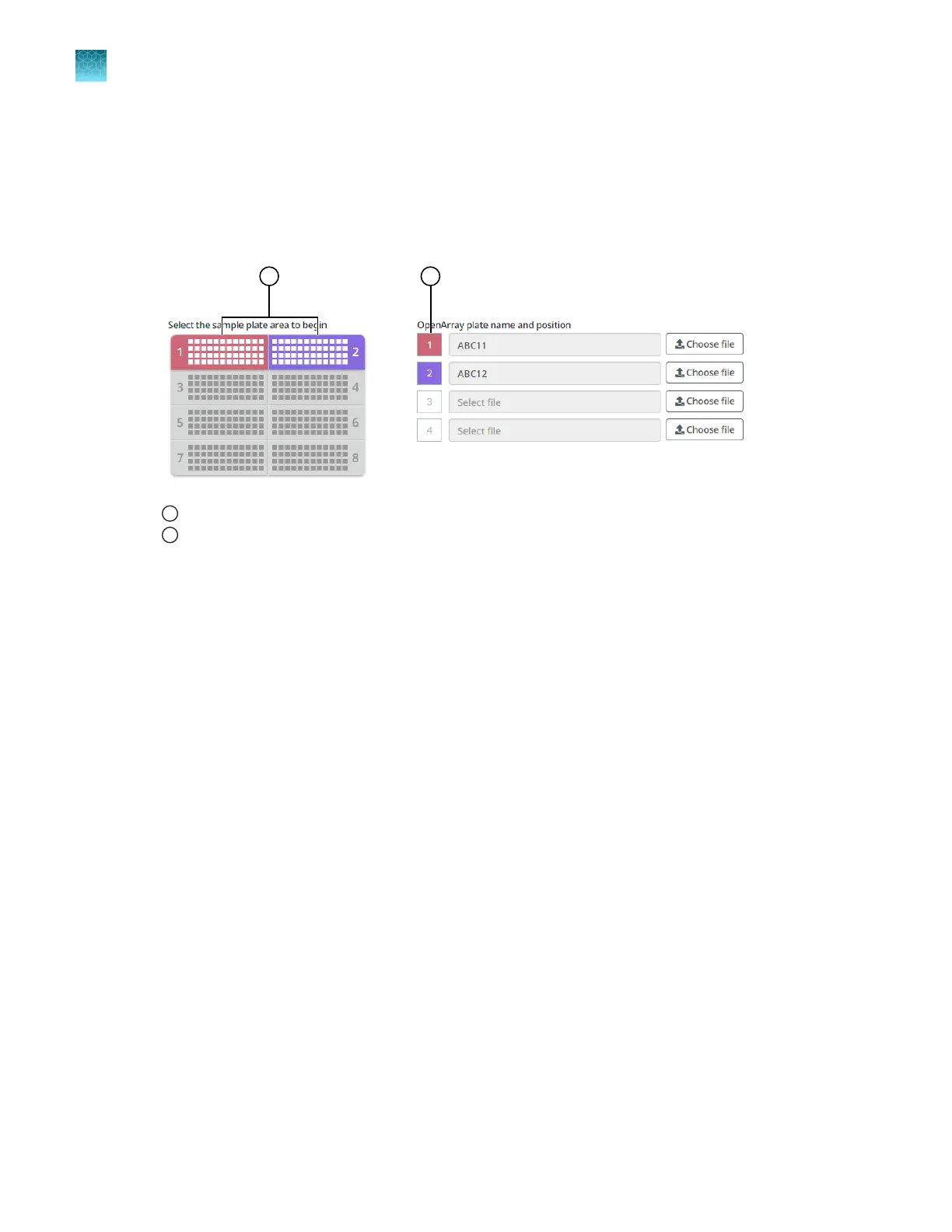
During the run, the instrument fills the OpenArray
™
Plate with the samples from the corresponding
section of the sample plate.
The OpenArray
™
Plate position displays the color that corresponds to the section of the sample
plate.
If there is more than one sample in a subarray, the position box displays all the colors associated
with the corresponding sample.
1
Sample plate section
2
Corresponding OpenArray
™
Plate
Proceed to “Verify the run setup and start the run—quick run workflow” on page 45.
Configure the run without sample plate information
A TPF or SPF file is not required.
A sample plate file (CSV file) is not required by the OpenArray
™
AccuFill
™
Software v2.0.
The QuantStudio
™
12K Flex Software requires a sample plate file if a real-time PCR run is started with a
TPF file, an SPF file, or an EDT file.
See Figure 23 on page 48.
Navigate to the Quick Run screen. Ensure that the Load without sample plate information radio
button is selected.
1.
(Optional) In the Quick Run screen, in the Sample plate - optional field, enter information to
identify the sample plate.
•
Enter the information about the sample plate.
•
Use a barcode scanner to scan the sample plate or manually enter the barcode text string.
2.
Select the number of samples per subarray.
•
One
•
Two
•
Three
For examples of OpenArray
™
Plate layouts, see “Sample plate layouts” on page 27.
Chapter 6
Set up and start the run with the quick run workflow
Configure the run—quick run workflow
6
44
QuantStudio
™
12K Flex OpenArray
™
AccuFill
™
System User Guide













 To Next Page