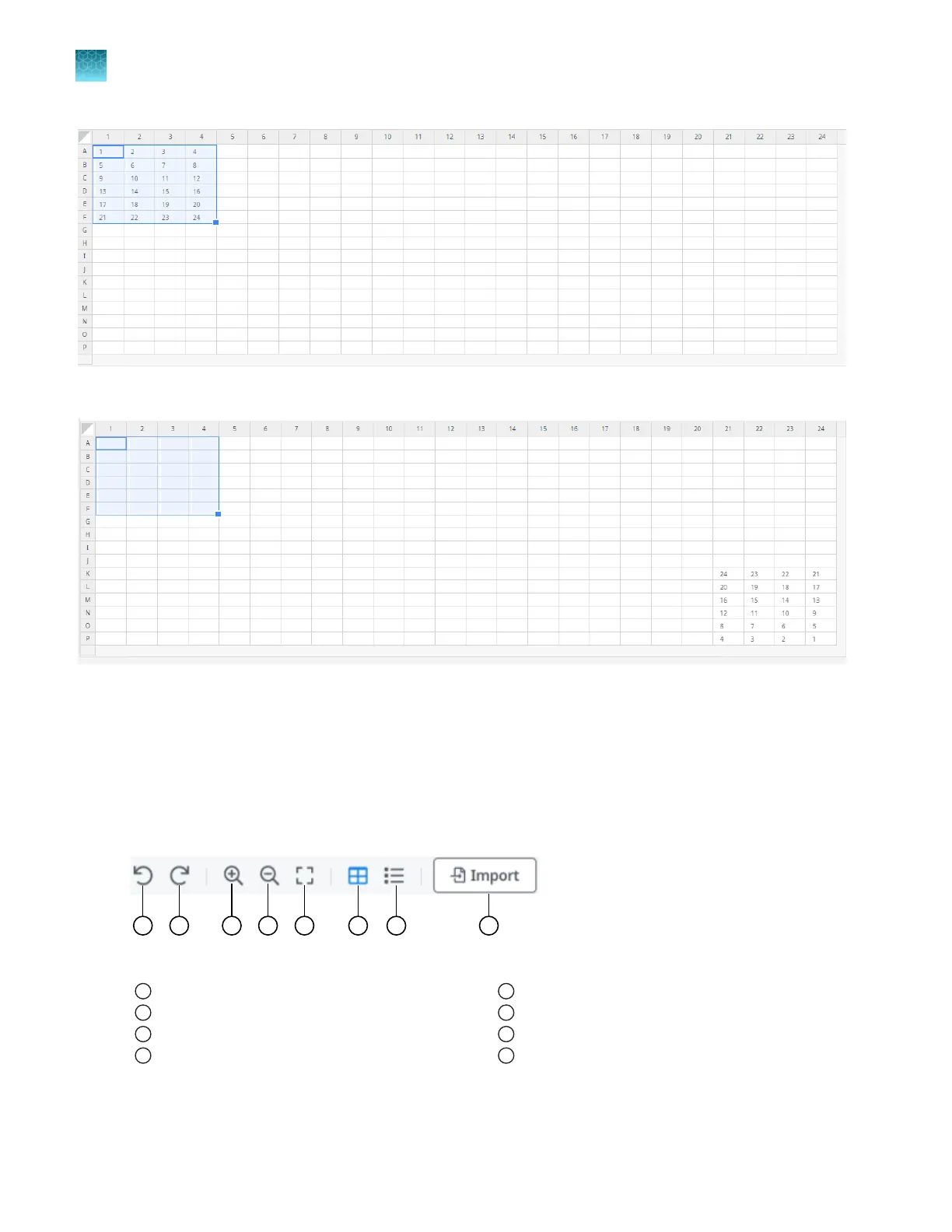
Figure 16 384-well plate before Rotate data is clicked
Figure 17 384-well plate after Rotate data is clicked
Proceed to “Export plate files” on page 38.
Options to view a plate layout
The toolbar in the Map plates pane allows you to adjust the view.
Figure 18 Toolbar
1
Undo action
2
Redo action
3
Zoom in
4
Zoom out
5
Fit size, if the window size was changed
6
Plate view
7
Well table view
8
Import button
Zoom in or zoom out.
Chapter 5
Map plates
Options to view a plate layout
5
36
QuantStudio
™
12K Flex OpenArray
™
AccuFill
™
System User Guide













 To Next Page