3.
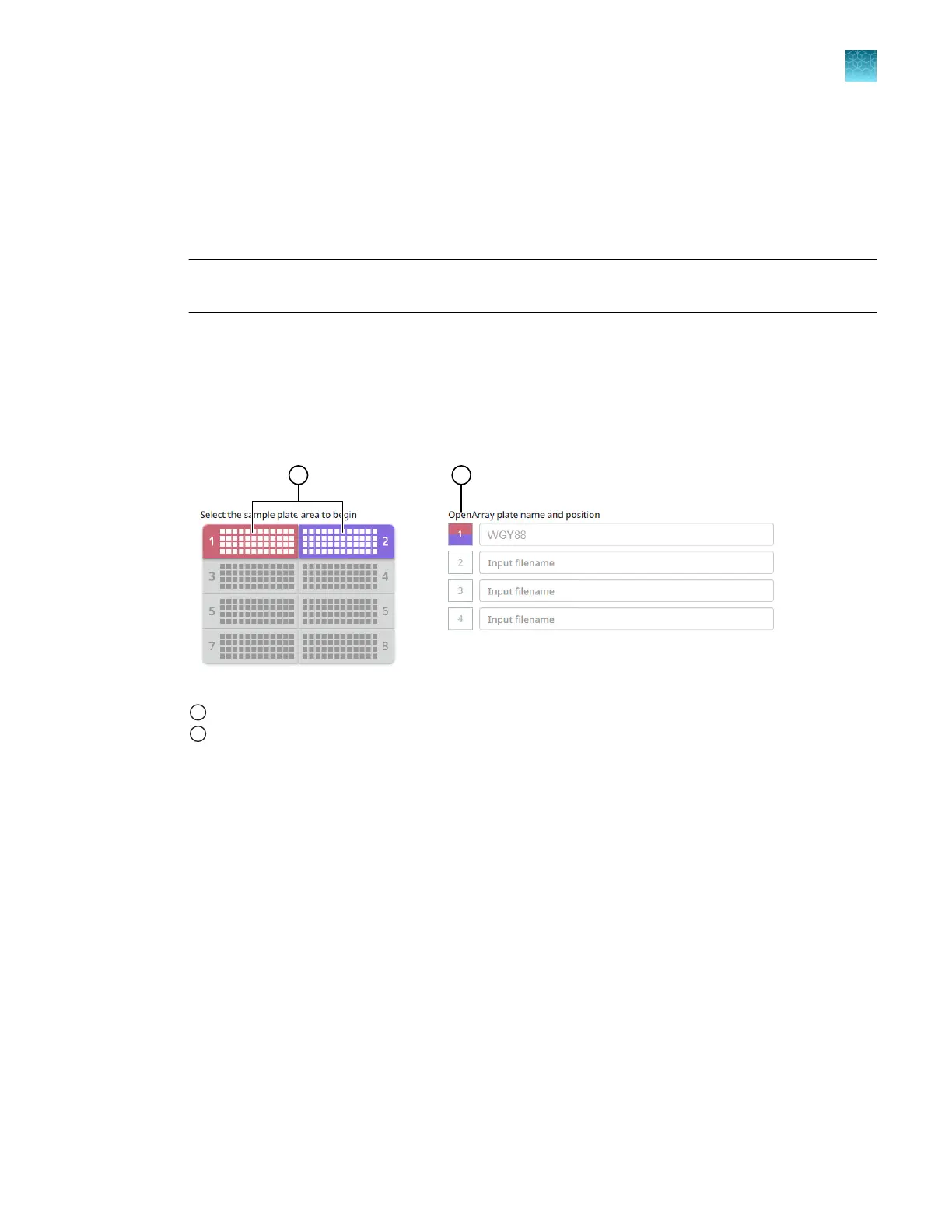
In the OpenArray Plate name and position field, enter information to identify the OpenArray
™
Plate.
We recommend using the serial number of the OpenArray
™
Plate as the identifying information.
The name and position are recorded in the loading history log.
4.
Click a section of the sample plate to change the corresponding OpenArray
™
Plate.
Note: The first section of the sample plate is selected. Subsequent sections are selected
automatically.
During the run, the instrument fills the OpenArray
™
Plate with the samples from the corresponding
section of the sample plate.
The OpenArray
™
Plate position displays the color that corresponds to the section of the sample
plate.
If there is more than one sample in a subarray, the position box displays all the colors associated
with the corresponding sample.
1
Sample plate section
2
Corresponding OpenArray
™
Plate
Proceed to “Verify the run setup and start the run—quick run workflow” on page 45.
Verify the run setup and start the run—quick run workflow
1.
Click each tip box so that the status on the Verify the run setup and start the run section
matches the physical tip box in the instrument.
We recommend starting the run with full tip boxes.
The instrument does not start the run if there are not enough tips on the deck.
Chapter 6 Set up and start the run with the quick run workflow
Verify the run setup and start the run—quick run workflow
6
QuantStudio
™
12K Flex OpenArray
™
AccuFill
™
System User Guide
45













 To Next Page