Prepare the OpenArray
™
Plate for
PCR
■
Remove the OpenArray
™
Plate from the instrument ....................................... 58
■
Seal the OpenArray
™
Plate ............................................................ 61
Remove the OpenArray
™
Plate from the instrument
After an OpenArray
™
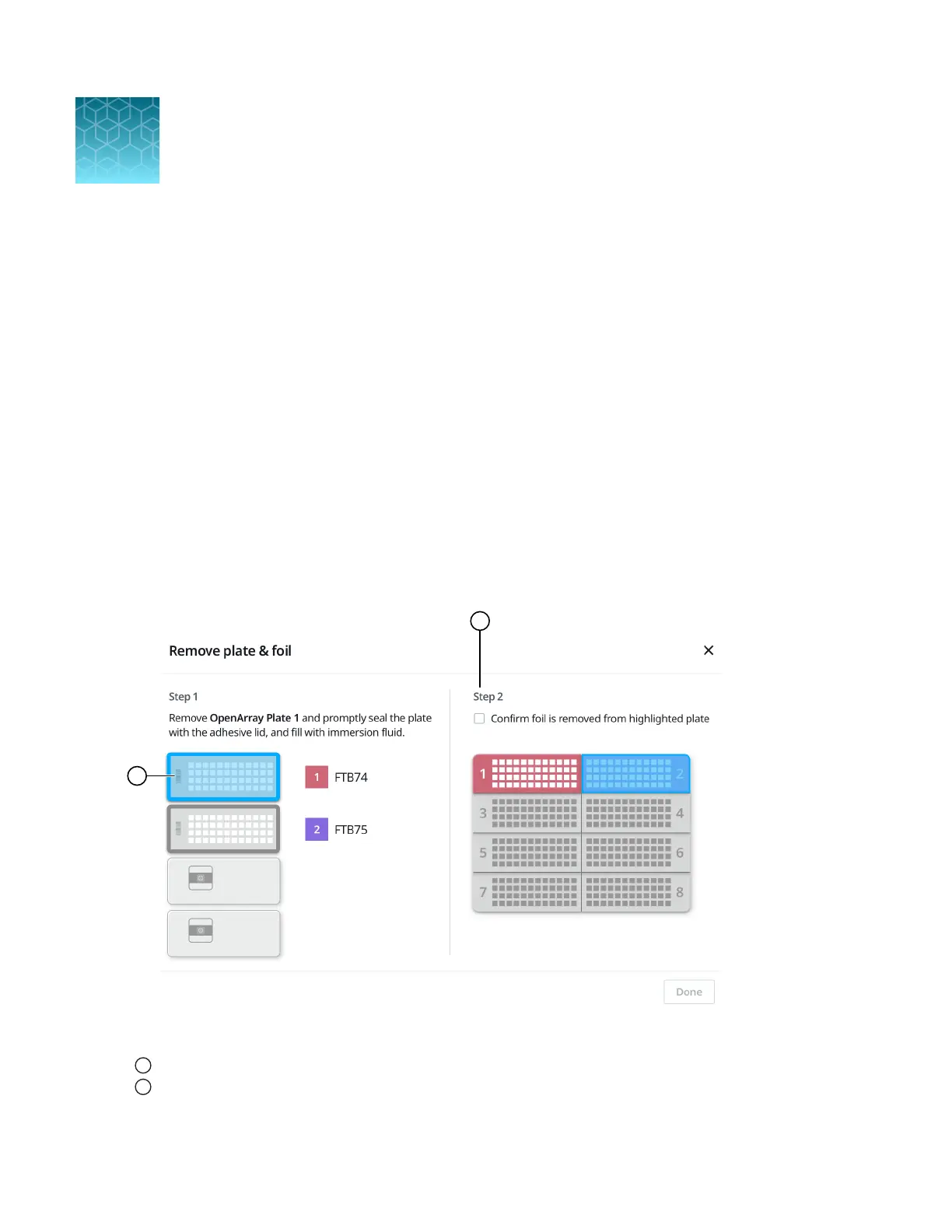
Plate is filled, the Remove plate and foil dialog box is displayed (see Figure 28 on
page 58).
Remove each OpenArray
™
Plate immediately after it has been filled, even if the run was set up to fill
multiple plates.
After the last OpenArray
™
Plate in the run is filled, the Remove plate dialog box is displayed (see
Figure 29 on page 59).
Figure 28 Remove plate and foil dialog box
1
OpenArray
™
Plate to remove from the instrument
2
Confirm foil is removed from highlighted plate section checkbox
9
58
QuantStudio
™
12K Flex OpenArray
™
AccuFill
™
System User Guide













 To Next Page