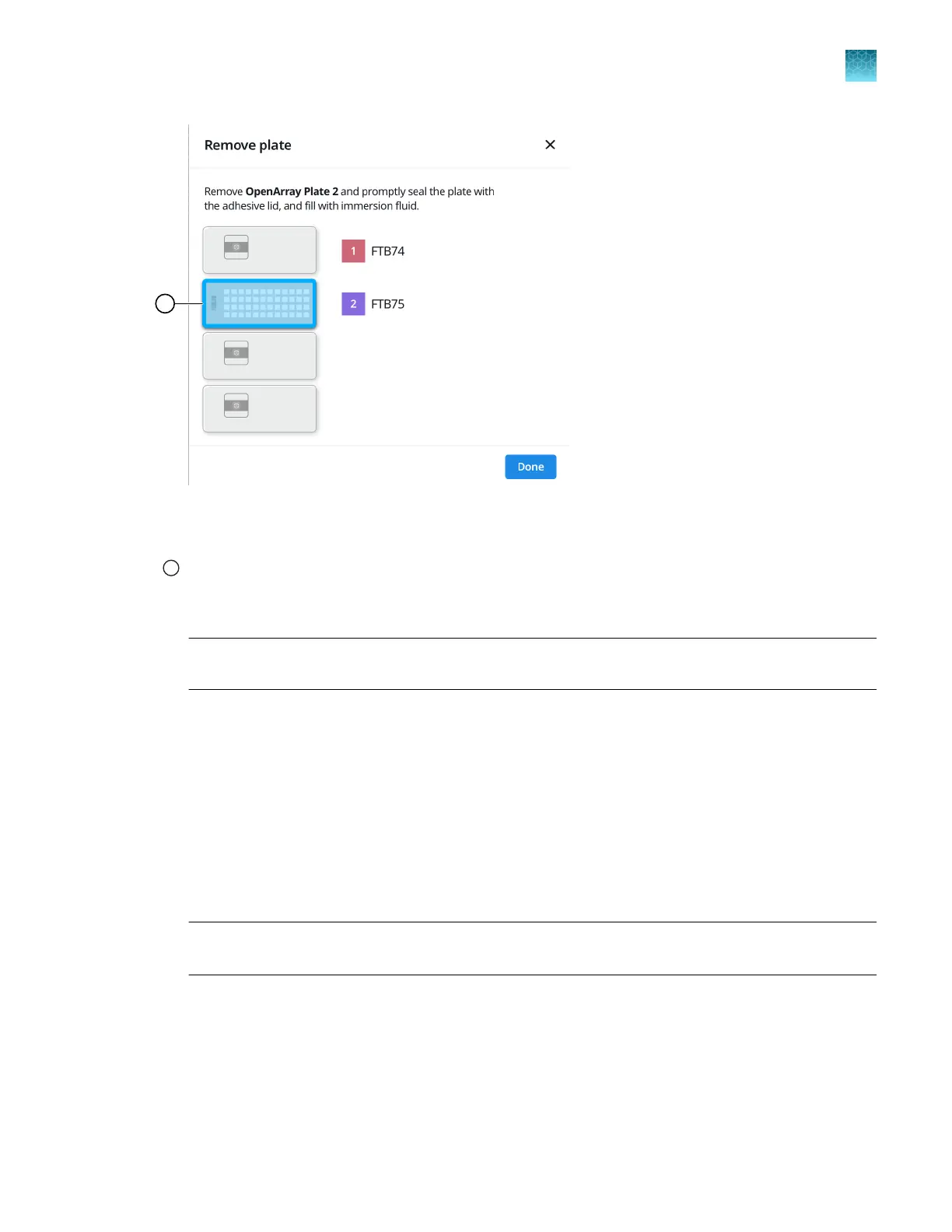
Figure 29 Remove plate dialog box
1
OpenArray
™
Plate to remove from the instrument
1.
Open the instrument door and remove the OpenArray
™
Plate that is indicated by the blue box in
the dialog box.
IMPORTANT! Remove the OpenArray
™
Plate within 30 seconds, to avoid evaporation within the
plate.
One of the following dialog boxes is displayed:
•
The Remove plate and foil dialog box.
•
The Remove plate dialog box (after the last OpenArray
™
Plate is filled).
2.
Seal the case and fill the OpenArray
™
Plate with immersion fluid.
See “Seal the OpenArray
™
Plate” on page 61.
3.
(For Remove plate and foil dialog box only) Remove the foil seal from the next section of the
sample plate, then select the checkbox to confirm that the foil is removed from the section of the
plate that is highlighted.
Note: Remove the foil only from the next section of the sample plate. Do not remove the foil from
all sections of the sample plate.
4.
Close the instrument door.
Chapter 9
Prepare the OpenArray
™
Plate for PCR
Remove the OpenArray
™
Plate from the instrument
9
QuantStudio
™
12K Flex OpenArray
™
AccuFill
™
System User Guide
59













 To Next Page