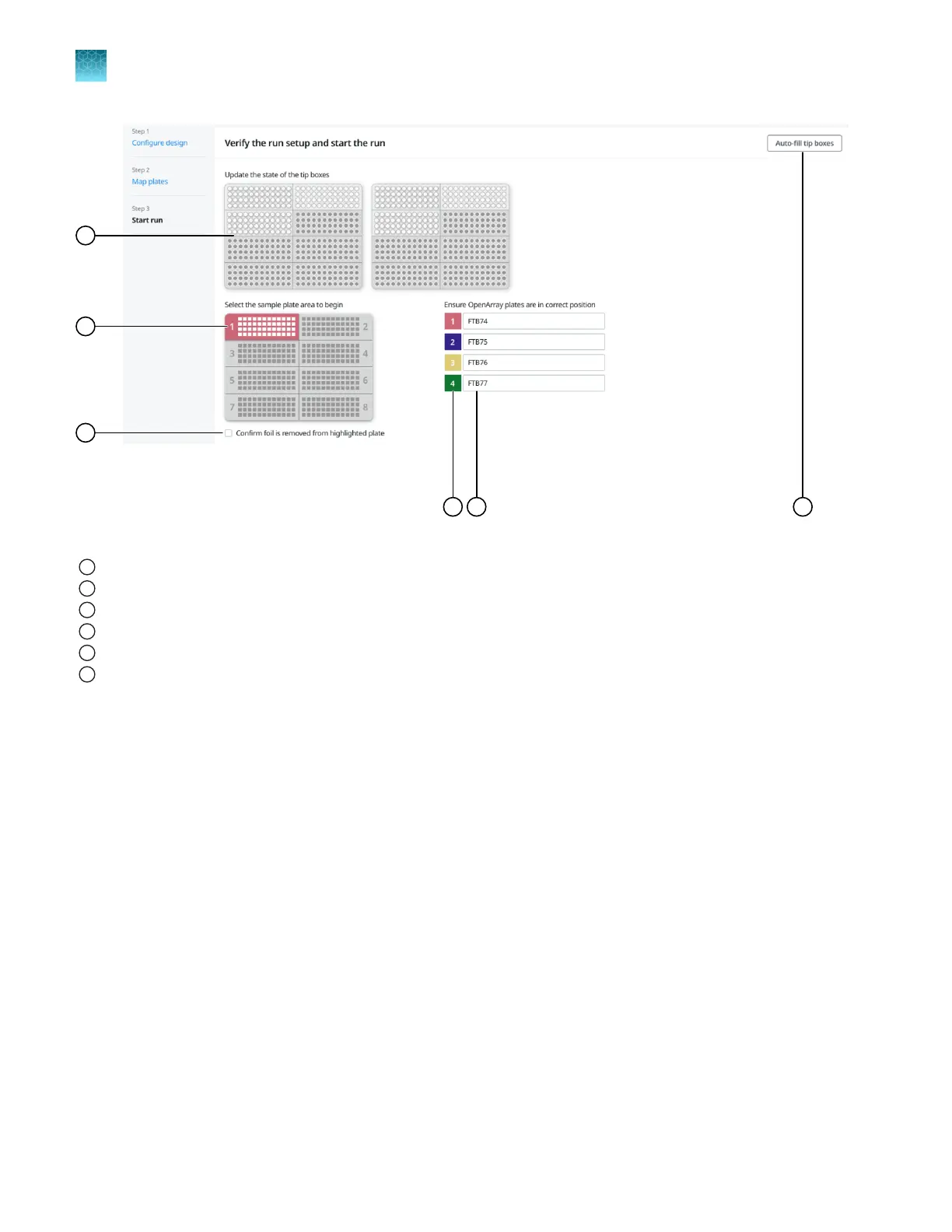
Figure 25 Start run pane
1
Tip box status
2
Section of sample plate to extract samples
3
Confirm foil is removed from the selected plate checkbox
4
OpenArray
™
Plate position (color corresponds to the section of the sample plate)
5
TPF or SPF file name or serial number of the OpenArray
™
Plate
6
Auto-fill tip boxes button
Before you begin—full run
workflow
•
Prepare samples (DNA and PCR reaction mix) in a 384-well plate, according to the user guide or
the application guide for your assay.
•
Distribute the samples according to the layout determined in the Map Plates workflow.
•
Place the sample plate in the sample plate holder on the instrument deck, with the notch to the left.
Do not stack sample plates.
•
Load the tip boxes, then remove the tip box covers.
Do not stack the tip boxes.
•
Place the OpenArray
™
Plates in the plate holders.
•
Clear the instrument deck, empty and replace the waste bin, and close the instrument door.
For more information on setting up the instrument deck, see “Set up the system” on page 19.
Chapter 7
Set up and start a run with the full run workflow
Before you begin—full run workflow
7
50
QuantStudio
™
12K Flex OpenArray
™
AccuFill
™
System User Guide













 To Next Page