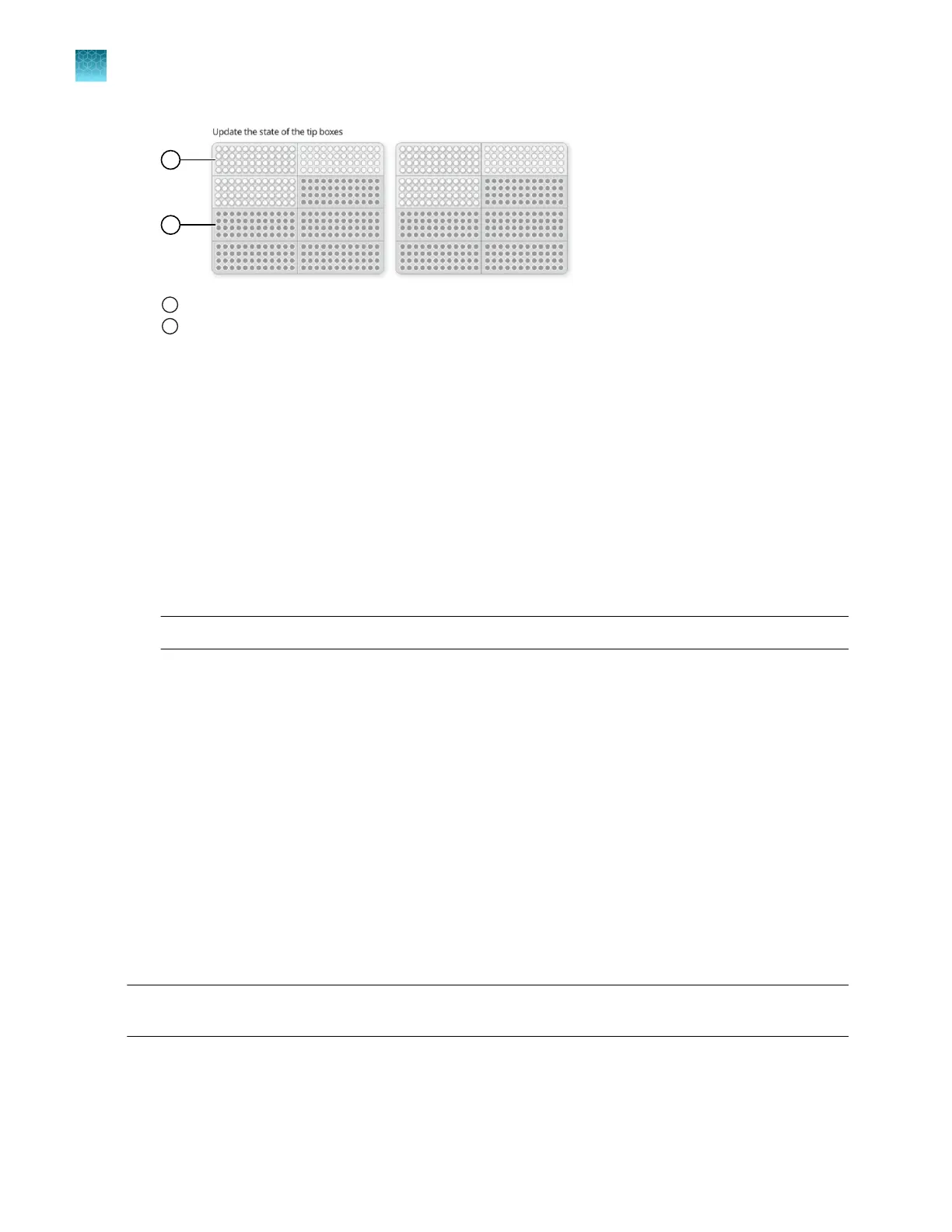
1
Section of the tip box is full
2
Section of the tip box is empty
2.
Select the first section of the sample plate that will be used to fill the OpenArray
™
Plate.
Select the first section of the sample plate if multiple OpenArray
™
Plates are filled during a run. The
software selects the total number of sections that correspond with the total number of OpenArray
™
Plates.
3.
Remove the foil from the appropriate sections of the sample plate, then click the checkbox to
confirm.
Remove the foil only from the sections of the sample plate that are used to load a single
OpenArray
™
Plate.
The number of sections that the foil is removed from depends on how the run was set up. For
example, if the run was set up without sample information and for two samples per subarray, the
foil is removed from two sections at a time.
Note: Do not remove the foil from all the sections of the sample plate at once.
4.
Close the instrument door.
5.
Click Start Run.
The run does not begin under any of the following conditions:
•
The waste bin is not in position
•
The sample plate is not in position
•
The OpenArray
™
Plates are not in position
•
There are more OpenArray
™
Plates on the instrument deck than are defined in the experiment
setup
•
The instrument door is open
The Deck screen is displayed.
See Chapter 8, “Monitor run progress”.
IMPORTANT! Each OpenArray
™
Plate must be prepared for PCR immediately after it is filled (see
“Remove the OpenArray
™
Plate from the instrument” on page 58).
Chapter 6 Set up and start the run with the quick run workflow
Verify the run setup and start the run—quick run workflow
6
46
QuantStudio
™
12K Flex OpenArray
™
AccuFill
™
System User Guide













 To Next Page