MINTER Operation
P/N 7010-1004
4-9
• Shows the status of the GSM or CDMA modem (RX TX LED)
See “MINTER” on page 1-10 for a full description of the MINTER.
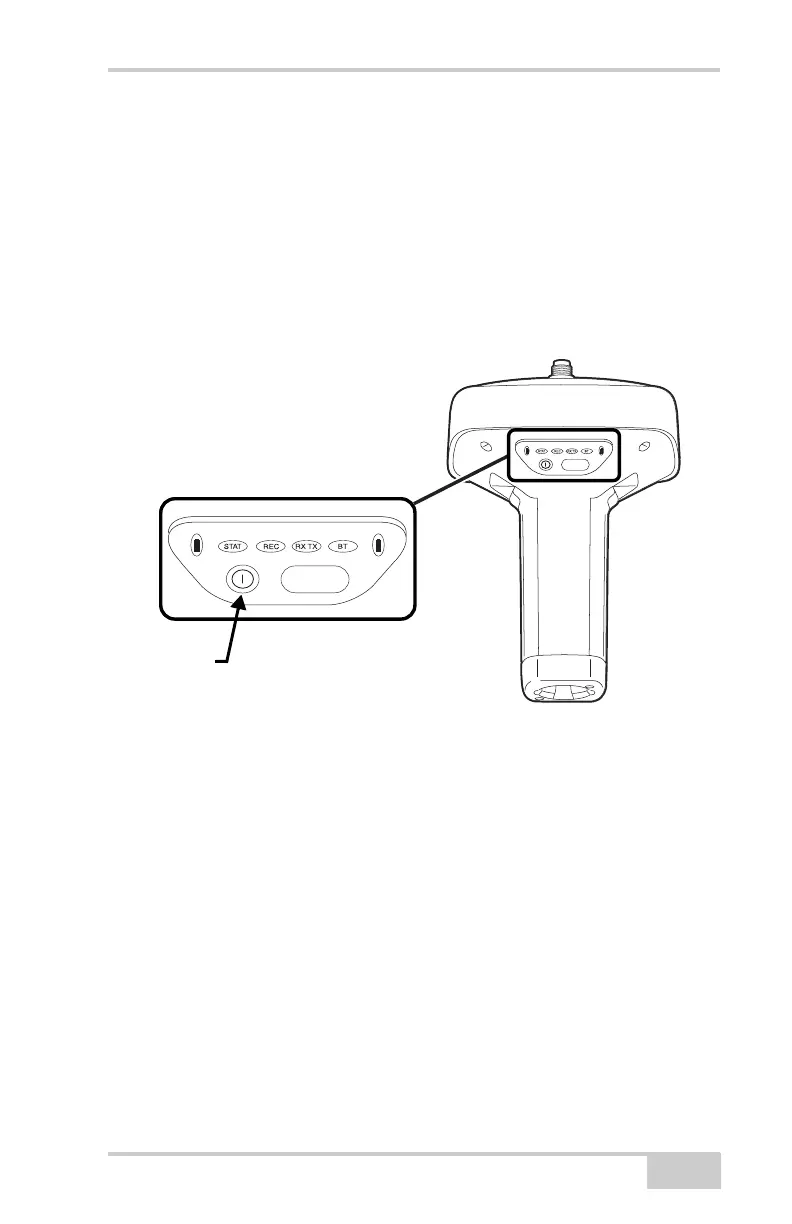
To turn the receiver on/off, press the Power button (Figure 4-5).
• When turning on, press the Power button until the MINTER’s
LEDs briefly flash.
• When turning off, press the Power button until the LEDs go out,
then release.
Figure 4-5. Power Button Functions
To start/stop logging data, press the FUNCTION button for 1–5
seconds (Figure 4-6).
• During data recording, the REC LED is green. Use PC-CDU to
set the recording time interval. See “Recording Interval
parameter” on page 3-43 for details.
• The REC LED blinks green each time data is written to the
SDHC memory.
• If the REC LED is red, the receiver has run out of memory, has a
hardware problem, has no SDHC card, or contains an improper
OAF (see “Option Authorization File (OAF)” on page 1-26 for
more information).
FUNCTION
FUNCTION
Power
Button
Press the power
button for about 1
second to turn the
receiver on/off.



 To Next Page