HiPer+ Configuration
HiPer+ Operator’s Manual
3-6
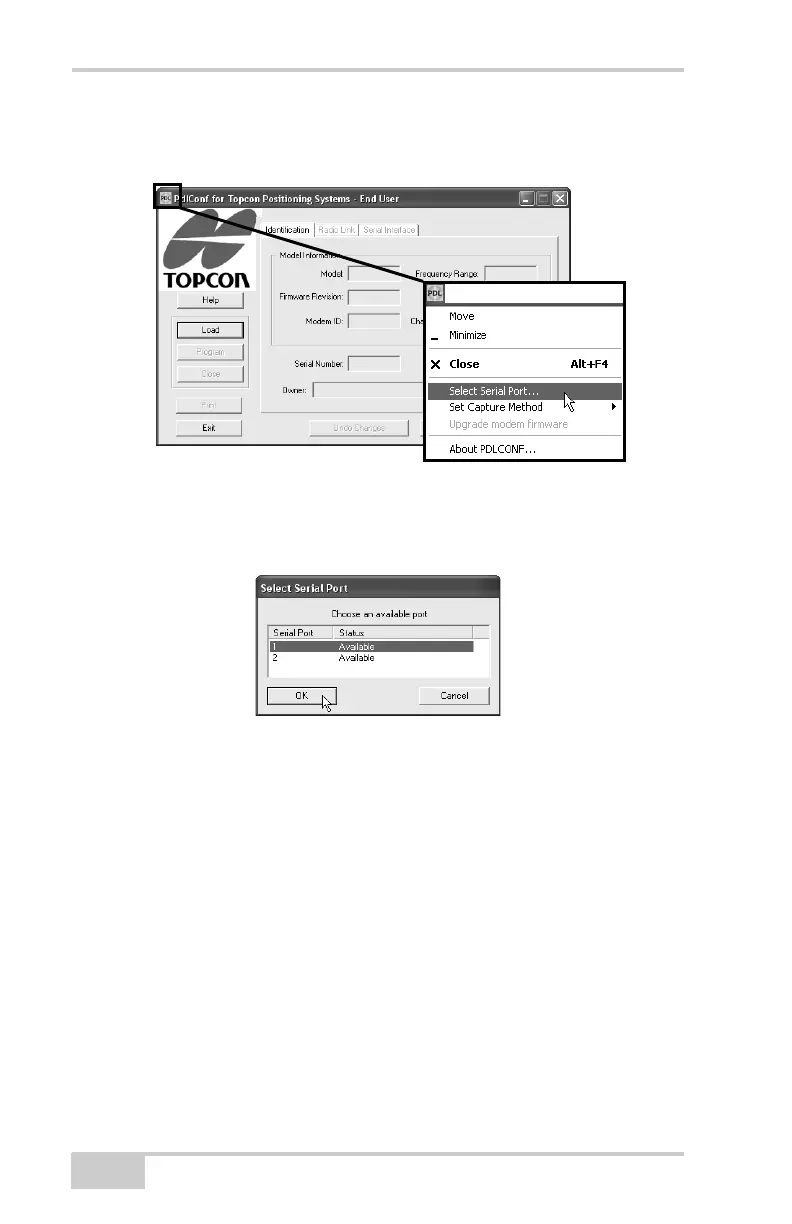
7. Click the Pacific Crest logo in the upper left corner of the main
screen and click Select Serial Port (Figure 3-2).
Figure 3-2. Select Serial Port
8. Select the computer serial port used to connect the receiver and
computer, and click OK (Figure 3-3).
Figure 3-3. Select Serial Port
If unsure about the location of the modem, click Locate Modem
to have PDLCONF automatically locate the modem (if available).
This process may take several minutes. When finished, click OK
on the confirmation.
9. Click the Pacific Crest logo in the upper left corner of the main
screen and click Set Capture MethodSoft Break
(Figure 3-4 on page 3-7).
10. Click Load to connect to the radio (Figure 3-4 on page 3-7).



 To Next Page