Configuring the Receiver
P/N 7010-0526
3-19
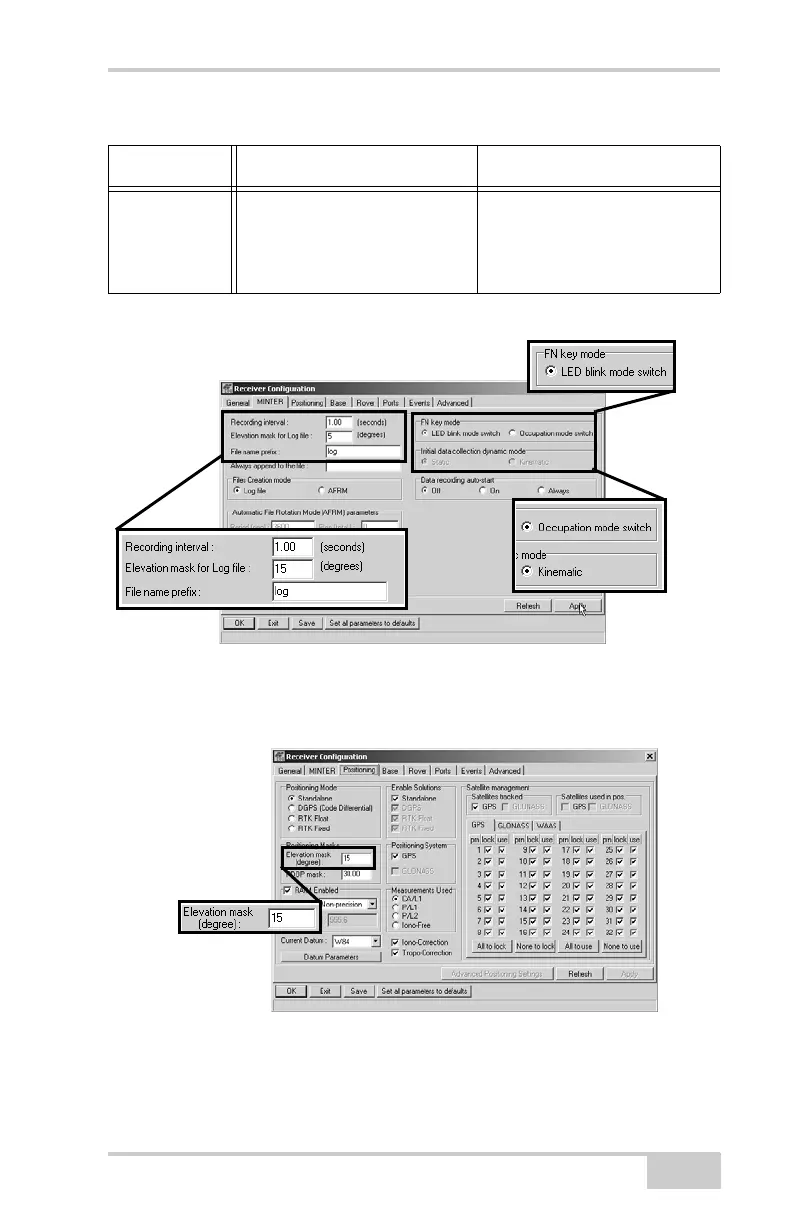
Figure 3-18. Configure Receiver’s MINTER for Data Recording
8. Click the Positioning tab and set the Elevation mask to 15
(Figure 3-19), then click Apply.
Figure 3-19. Configure Receiver Positioning – Elevation Mask
Initial data
collection
dynamic
mode
n/a Select Kinematic.
(This setting is for trajectory
surveys.)
Table 3-3. Receiver Parameters for the MINTER Tab (Continued)
Parameter Base Receiver Rover Receiver
Static
RTK Rover



 To Next Page