HiPer+ Configuration
HiPer+ Operator’s Manual
3-20
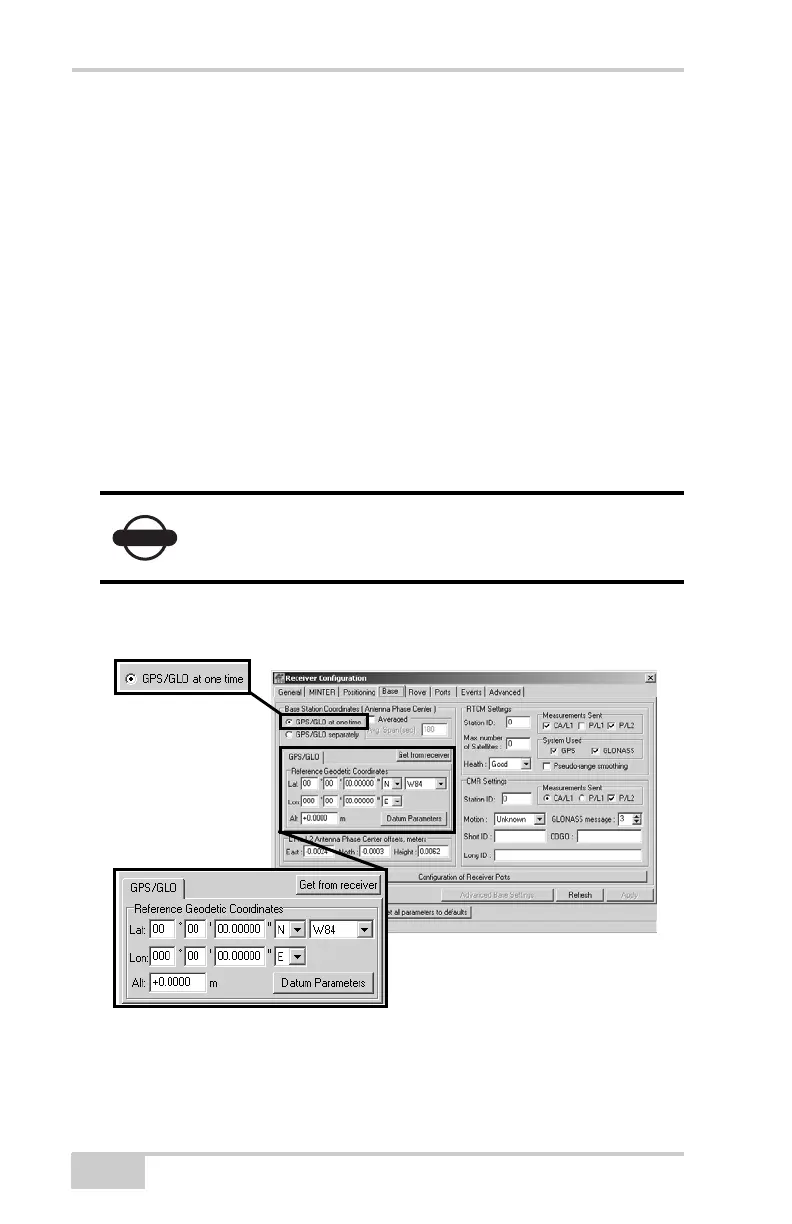
9. For the Base receiver, click the Base tab and set the following
parameters (Figure 3-20), then click Apply.
• GPS/GLO at one time – enable
• Antenna position – enter Lat, Lon, and Alt values using one
of the following methods:
– If known, type in the values.
– Enable Averaged and enter the Averaged Span in seconds,
then click Apply. Click ToolsReset receiver and wait
until the specified interval (span) completes. Examine the
Base coordinates on the Base tab, they should correspond
to the coordinates obtained from the average. Click
Refresh if the coordinates are zeros.
– Click Get from receiver.
Continue with step 11 on page 3-22 for RTK surveys or step 12
on page 3-23.
Figure 3-20. Base Configuration
NOTICE
The reference geodetic coordinates specified on this
tab relate to the antenna L1 phase center.



 To Next Page