Control Box Usage
Topcon AG System Five Operator’s Manual
2-8
2. Press the Offset button for one second, to move to the next
Offset. Turn the Grade Adjustment Knob to set the
display to 6.50, 1 foot higher than the field elevation.
3. Press the Offset button for one second, to move to the next
Offset. Turn the Grade Adjustment Knob to set the
display to 5.00, .50 feet lower than the field elevation.
Each time you press the Offset button for one second, the grade
setting moves to the next Offset: 5.50 to 6.50 to 5.00.
To change an elevation setting, turn the Grade Adjustment
Knob; changing one setting does not effect other settings.
Using the Elev/Avg Button
In Survey Mode, this button toggles the LCD to view the
current elevation reference number, view the current calculated
average elevation, or clear the average elevation.
View Current Elevation
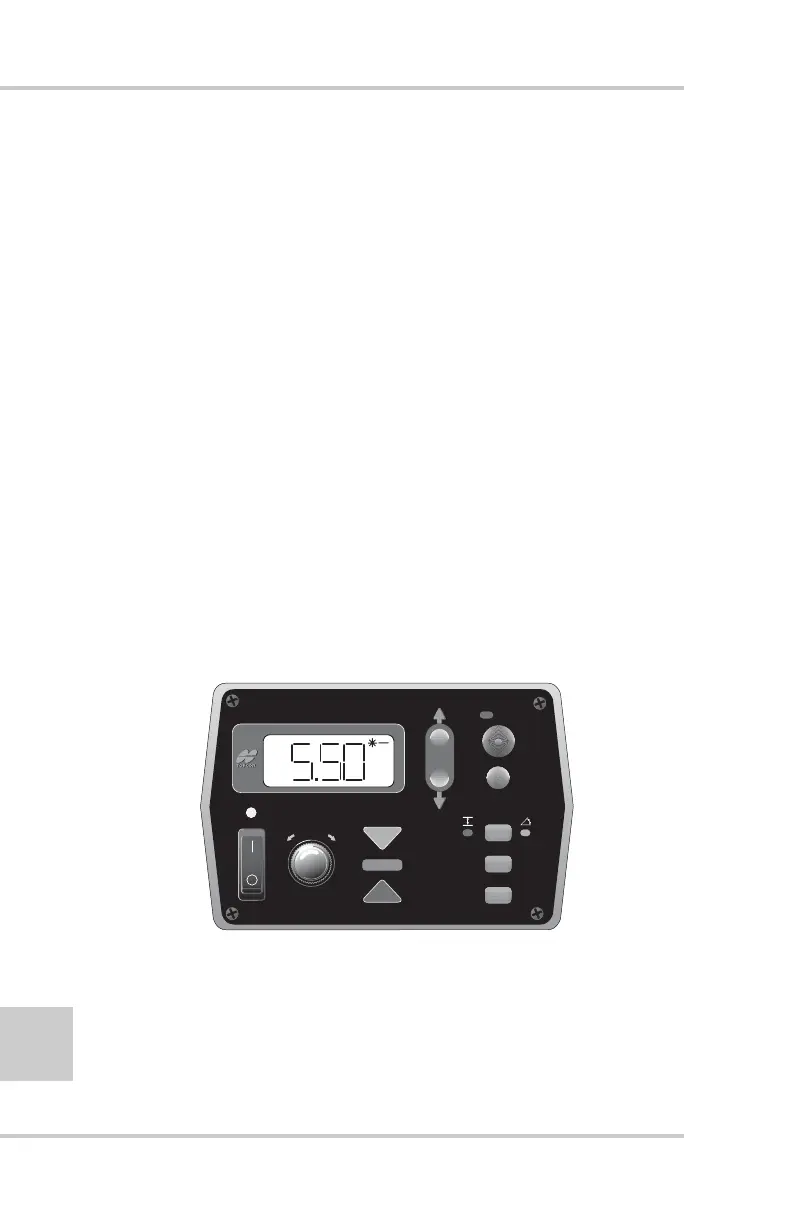
When the current elevation displays (Figure 2-9), the
ELEV LED illuminates.
Figure 2-9. Viewing Current Elevation
FiveSystem
AUTO
SURVEY
SET
(MENU)
SUR
CON
ELEV
AVG



 To Next Page