Performance Menu
P/N 7010-0369 www.topconpositioning.com
2-31
Units
The Units menu is used to set the display to read elevations and
other measurement in feet/hundredths or centimeters.
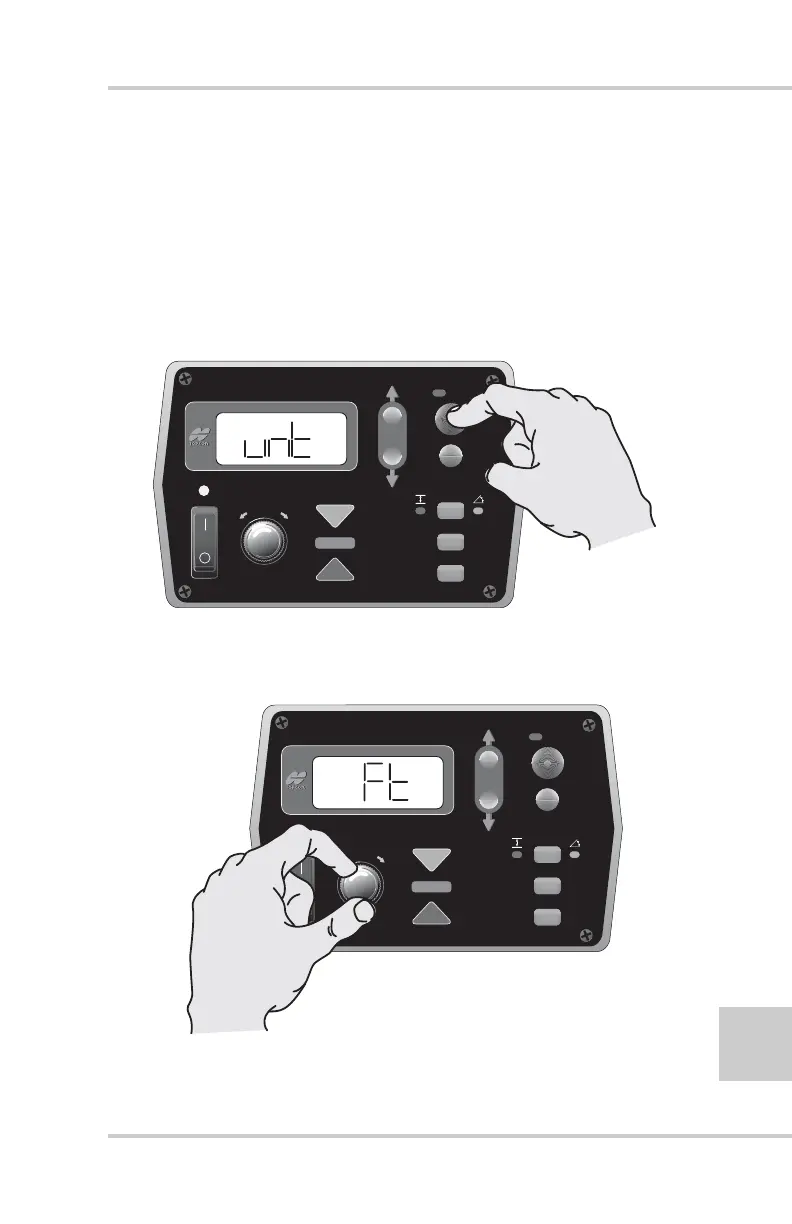
1. Rotate the Grade Adjustment Knob to access the Units
Menu.
2. Press the Auto button to select the Units (unt) menu
(Figure 2-35).
Figure 2-35. Selecting Units Menu
3. Turn the Grade Adjustment Knob to select the desired
units measurement (Figure 2-36).
Figure 2-36. Selecting Units Menu Option
FiveSystem
AUTO
SURVEY
SET
(MENU)
FiveSystem
AUTO
SURVEY
SET
(MENU)



 To Next Page