16
SYSTEM DIAGRAM
TRC-NW8F plus
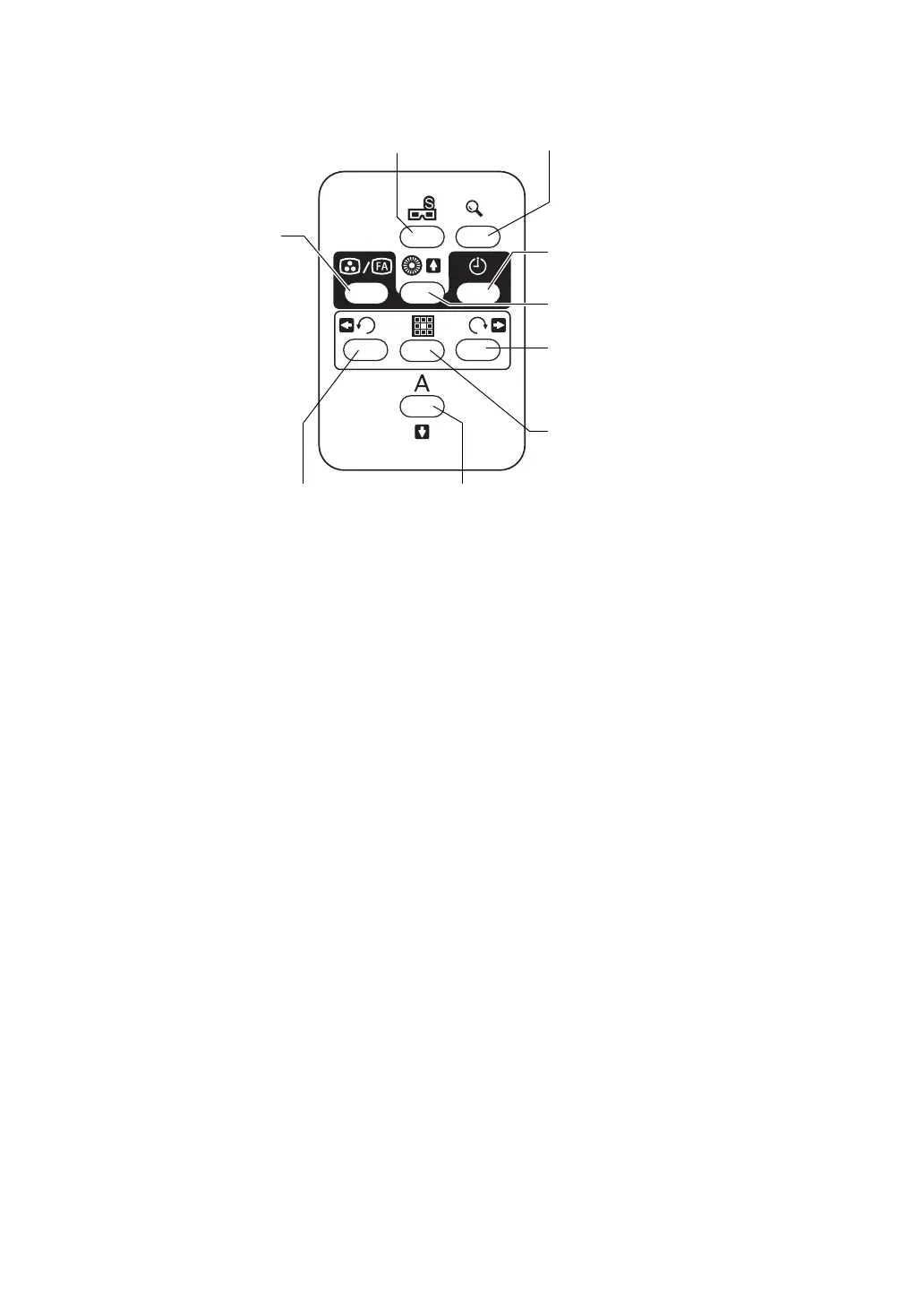
Stereo photography switch: P.65
Shifts to the stereo photography mode.
Picture angle switch: P.71
Changes the picture angle for photography from 45
° to 30° (digital zoom).
(When connected to the personal computer to which the photography software is installed)
Photography mode switch: P.67, P.70
Switches between color photography and FA photography. In order to access the FAF pho-
tography, change to the color photography mode and pull out the FAF filter selector to your
side.
Illumination diaphragm selector switch: P.59
(Upward cursor switch): P.30, P.43
Used in small pupil photography. ON/OFF of the illumination diaphragm for small pupil
(hereinafter, small pupil diaphragm) is done.
(You can move the selection cursor upward on the menu.)
Timer switch: P.68
Displays the timer stamp on the observation/photography image.
Fixation target selector switch (counterclockwise): P.55
(Leftward cursor switch): P.43
Switches the position of the internal fixation target to guide the patient's eye to the periphery
fixation point.
(You can move the selection cursor leftward on the menu.)
Stereo photography switch Picture angle switch
Illumination diaphragm
(Upward cursor switch)
Fixation target selector
(Rightward cursor
Fixation target selector
(ENTER switch)
AUTO switch
(Downward cursor switch)
Fixation target selector
(Leftward cursor switch)
switch (reset)
switch (clockwise)
switch)
selector switch
switch (counterclockwise)
Photography
Timer switch
mode switch















 To Next Page