38
PREPARATIONS
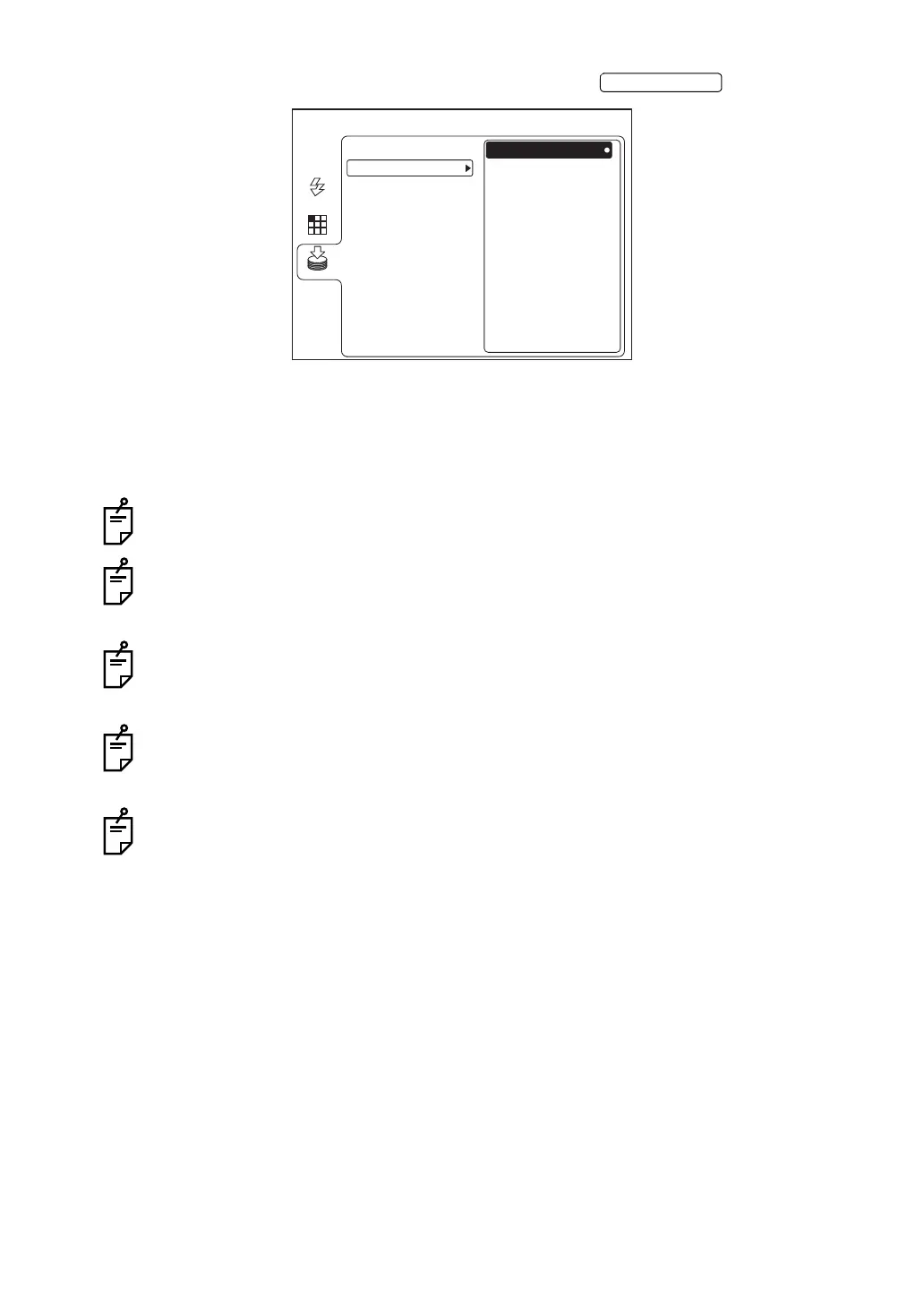
3 Make sure that "REMOVE" is selected and then press the .
4 When "REMOVE MEMORY OK?" is displayed, select "OK".
5 When the message "THE MEMORY CAN BE REMOVED." is displayed on the color LCD
monitor, disconnect the USB memory from the input/output terminal.
If the message "THE MEMORY CAN NOT BE STOPPED. PLEASE TRY AGAIN." is
displayed, wait for a while and repeat the procedure from Step 1 again.
When the instrument is connected to IMAGEnet or any other commercial product (when
two USB cables are used), the photographed image cannot be saved in the USB mem-
ory.
In TRC-NW8F, do not take a picture before the recording device recognition display
appears.
If you wait for a while but the USB memory recognition icon is not displayed, disconnect
and re-connect the USB memory. In TRC-NW8F plus, the recording device recognition
icon is not displayed.
Before using the USB memory, it is recommended to format it with a personal computer.
MENU
REMOVE
USB MEMORY
AUTO
FIXATION
FLASH
MEMORY
SD CARD
*The above figure shows the screen of TRC-NW8F.















 To Next Page