Control and input elements
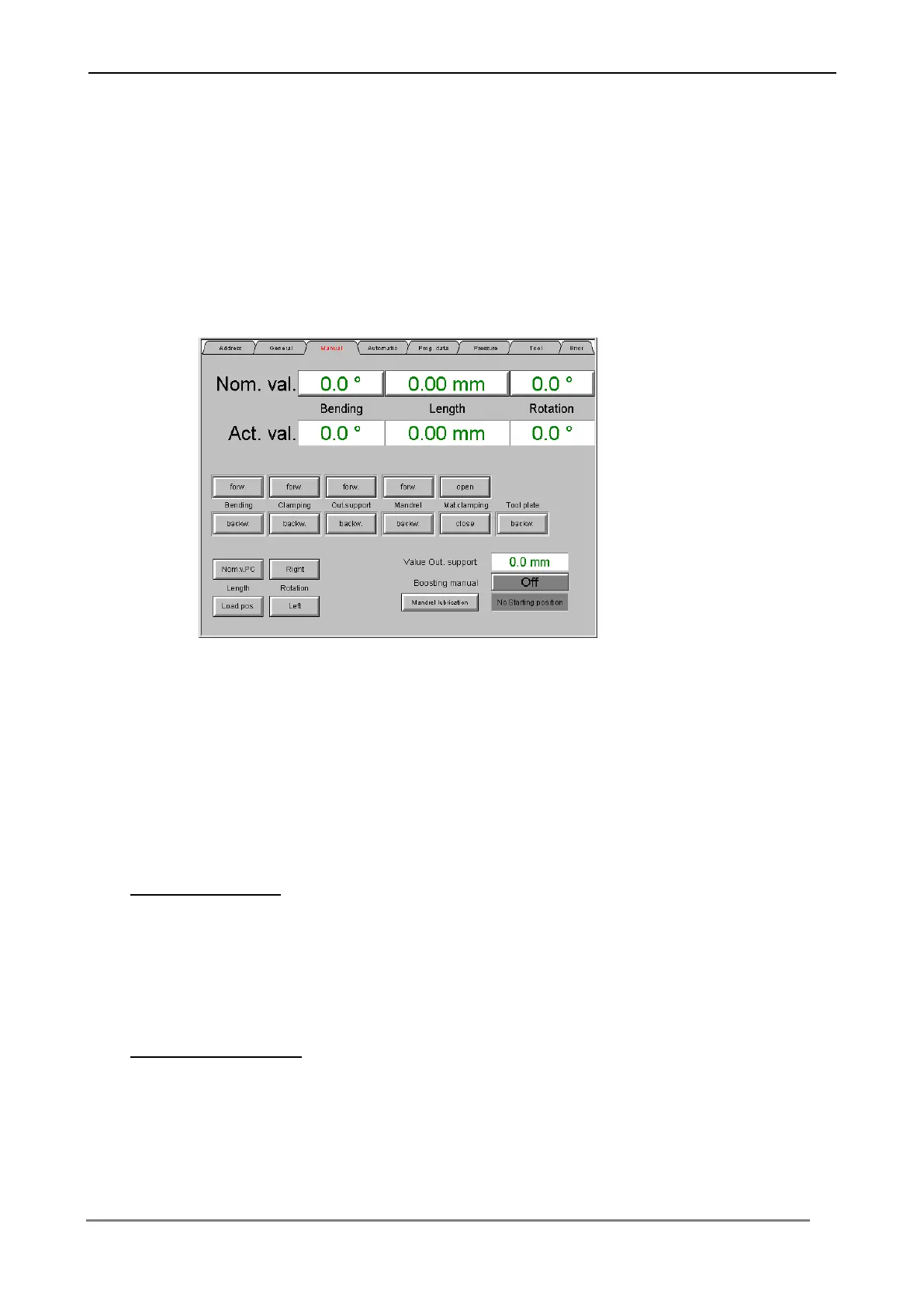
6.3.3 Menu „Manual“
In this menu the machine can be controlled in the manual operating mode. Input over
the appropriate switching surfaces of the nominal value level (bending angle, length
value, rotation value), the necessary bending data into the control.
By the function keys all machine functions can be driven in step by step operation.
An actual and nominal value comparison is at any time possible on the screen
(see chapter "Operating the machine in the manual mode").
Boosting manual
The boosting function of the following pressure die can be switched off / on over the
switching surface.
Mandrel lubrication
The mandrel lubrication function can be switched off / on over the switching surface.



 To Next Page