78
Display call
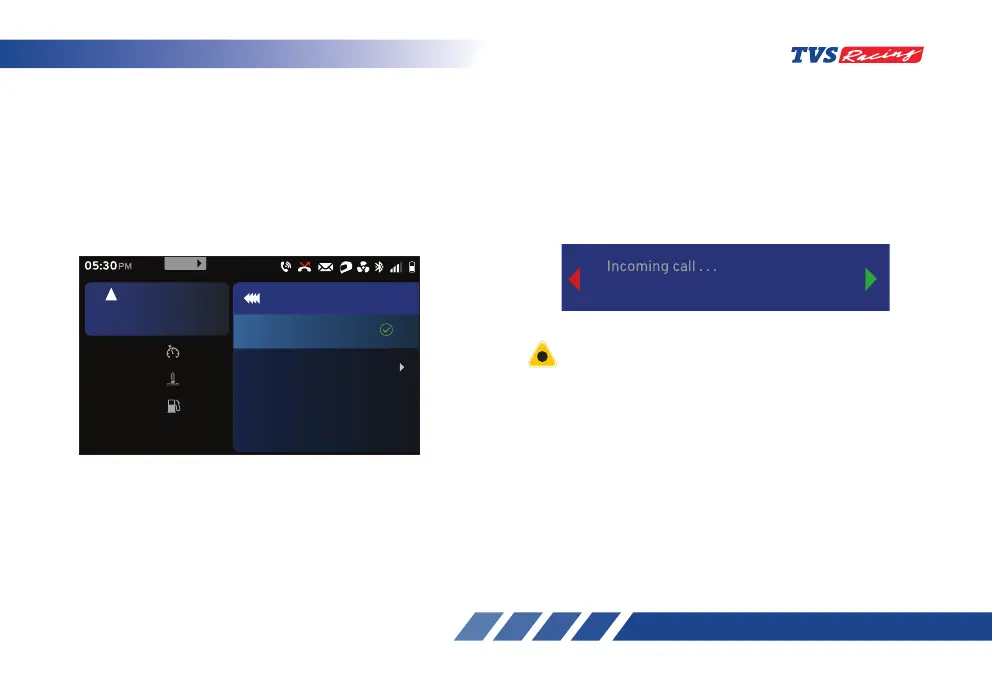
• To set the ‘Display call’ option:
- After entering the ‘Connectivity’ menu, select
the ‘Display call’ option using ‘Up’ (D2) or
‘Down’ (D3) arrow (ref. Fig. 24).
- Once the ‘Display call’ option is selected,
press the ‘ENT’ (D1) button.
• If the display call setting is turned ‘ON’, the
connected TFT instrument cluster will display
the incoming call alert from the smart phone via
Bluetooth. For example call from ‘Arnav Kumar’
will be displayed as shown below if the contact is
stored in the smart phone otherwise the number
will be displayed.
• Press the ‘ENT’ button to ‘On’ or ‘Off’ the display
call setting and to avoid the visibility of ‘Display
call’ in the connected TFT instrument cluster.
Set
km/h
60
oc
Coolant Temp
30
km
Range
30
rpm
6700
5
km/h
URBAN
05:30
PM
Off
On
SET
999
MENU
Display call
Arnav Kumar
To avoid risk of accident, and breach of Motor Vehicle
Act & Rules, it is highly recommended not to respond
to mobile call by operating the handle bar switches for
accepting or rejecting the calls when the vehicle is in
motion.













 To Next Page