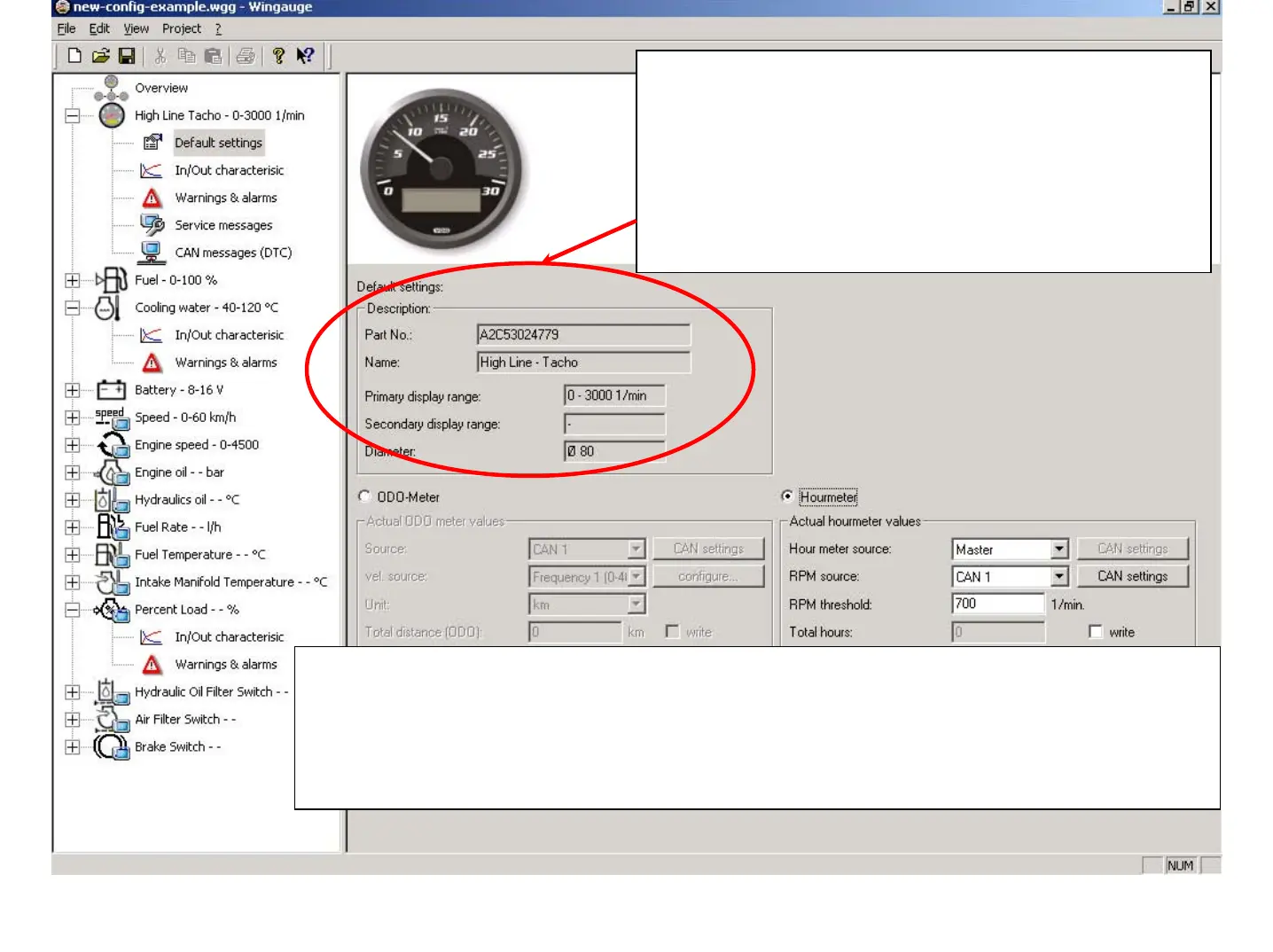
The listed Parameters in the description frame are
already known from the "Add-Master dialog". This
information will be enhanced with information about
the selected Sensor / Signal source for the Hourmeter
respective the ODO-Meter. In essence the selection
process is the same as for the In/Out Characteristics.
But here no curve will be shown.
It’s required to define for either the ODO-Meter or Hourmeter which the Signal Sources
are. Is it a CAN device or a Sensor connected directly to the Master device. Further the
parameters for Unit, RPM threshold, Total Distance/Hours or Trip Distance /Hours need
to be defined / selected. The selected Symbol will be the Symbol for the Master device
showing the values of the respective Sensor, Hours or ODO.
June 2009
Training WinGauge Software
page 47


 To Next Page