VideoIQ User Guide2
Configuring Your PC for DHCP
When your monitoring workstation is on the same subnetwork as your iCVR, the
View software connects to the iCVR automatically. For the View software to find
the iCVR, your workstation must be configured for automatic IP addressing
(DHCP). In this mode, it will also get an IP address in the same subnet:
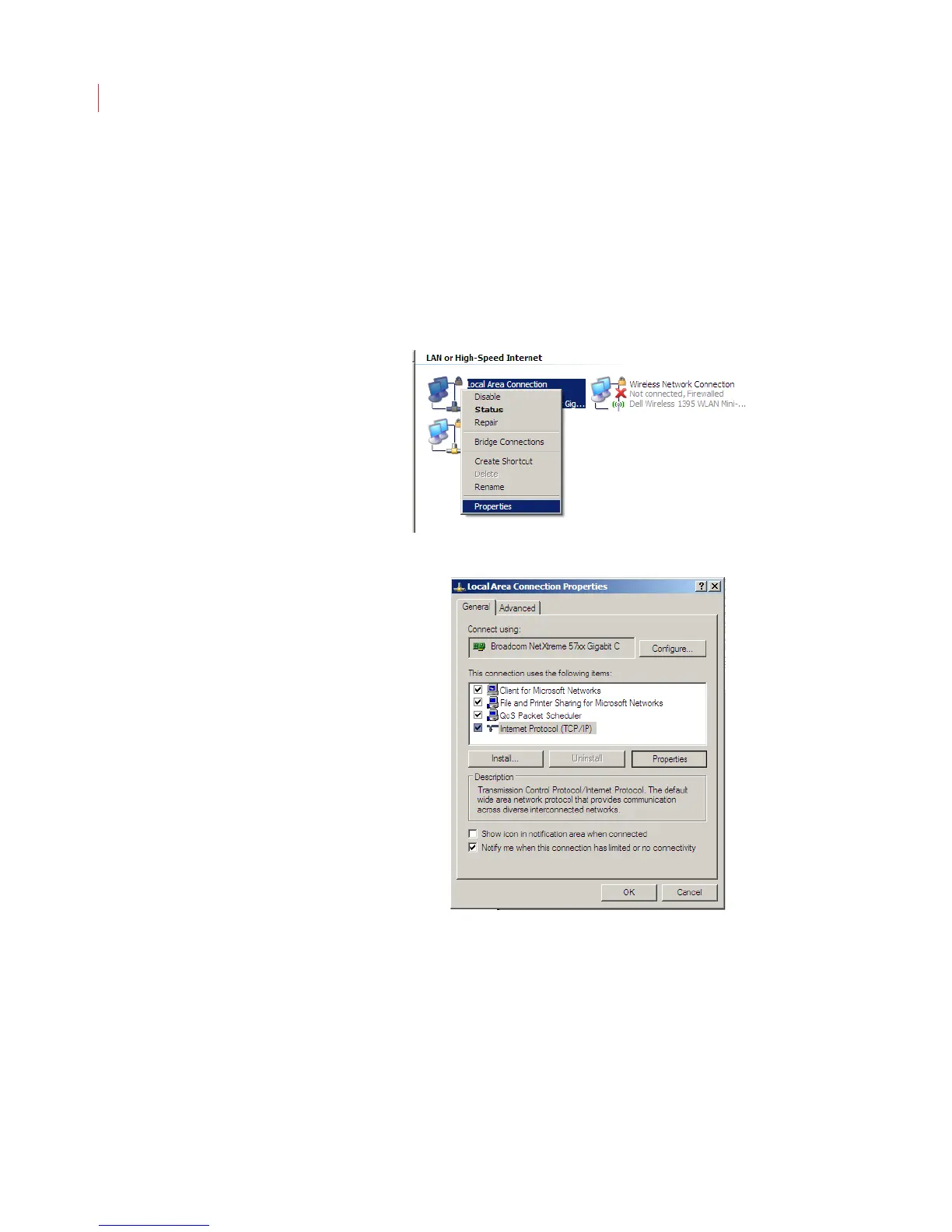
1. Open Network Connections in the Control Panel on your PC.
2. Right-click the icon for your local area network connection and select
Properties.
3. Click Internet Protocol, then click Properties.



 To Next Page