VideoIQ User Guide47
Camera List Icons
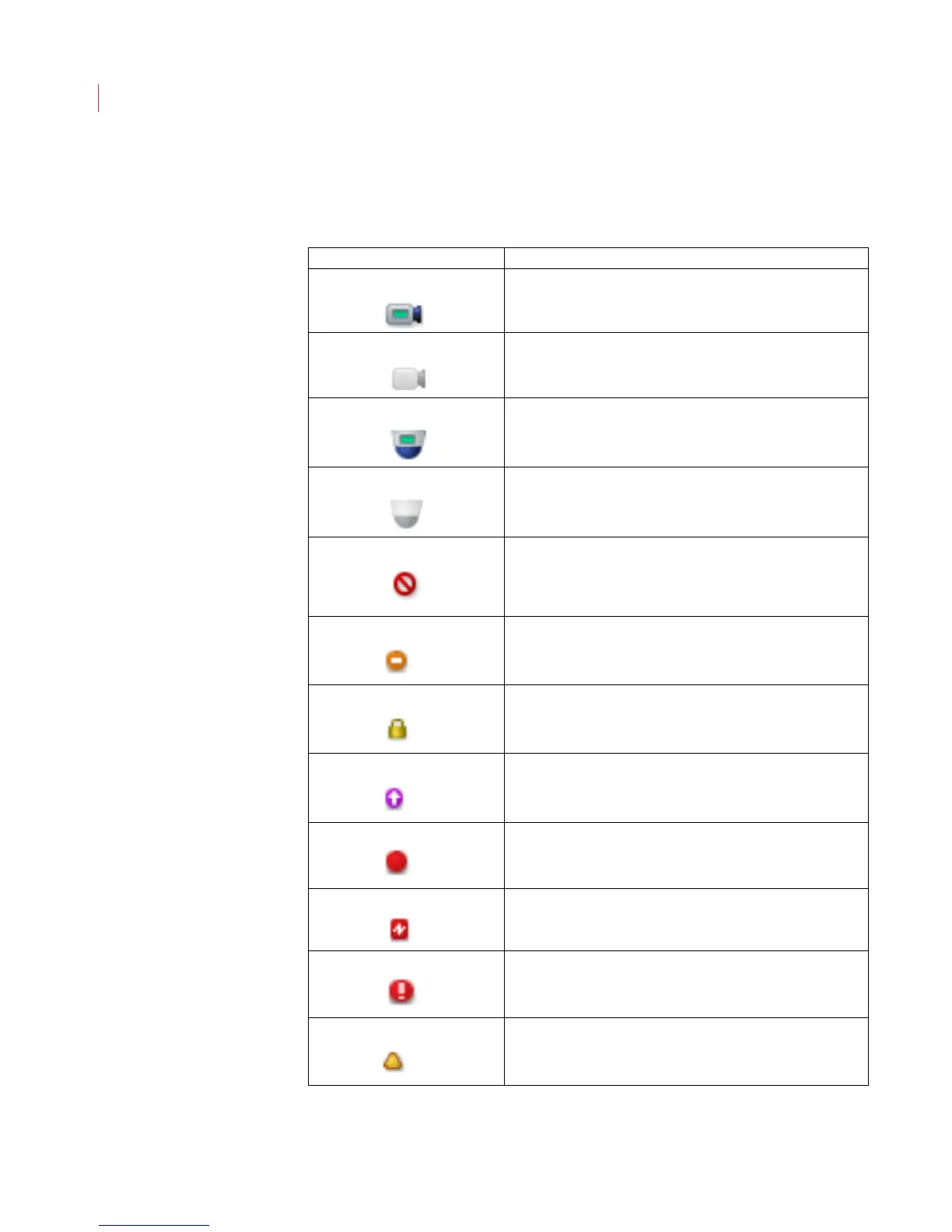
The icons displayed in the camera list identify the current state of each camera.
Camera Icon Description
Camera is connected.
Camera is not accessible
PTZ camera is connected.
PTZ camera is disconnected and is not accessible
Camera is disconnected.
When this icon is overlayed with the triangle icon it indicates
the version of View installed is incompatible with the camera
and should be upgraded.
Camera is online but has the maximum number of 3
connections. Camera cannot accept more connections.
Incorrect login.
The firmware on the camera is obsolete.
A rule violation has occurred
Encoder signal loss.
System alarm.
Camera is not functioning at full capacity because it is still
initializing or it is upgrading its database. Also indicates a
hard disk failure.



 To Next Page