VideoIQ User Guide140
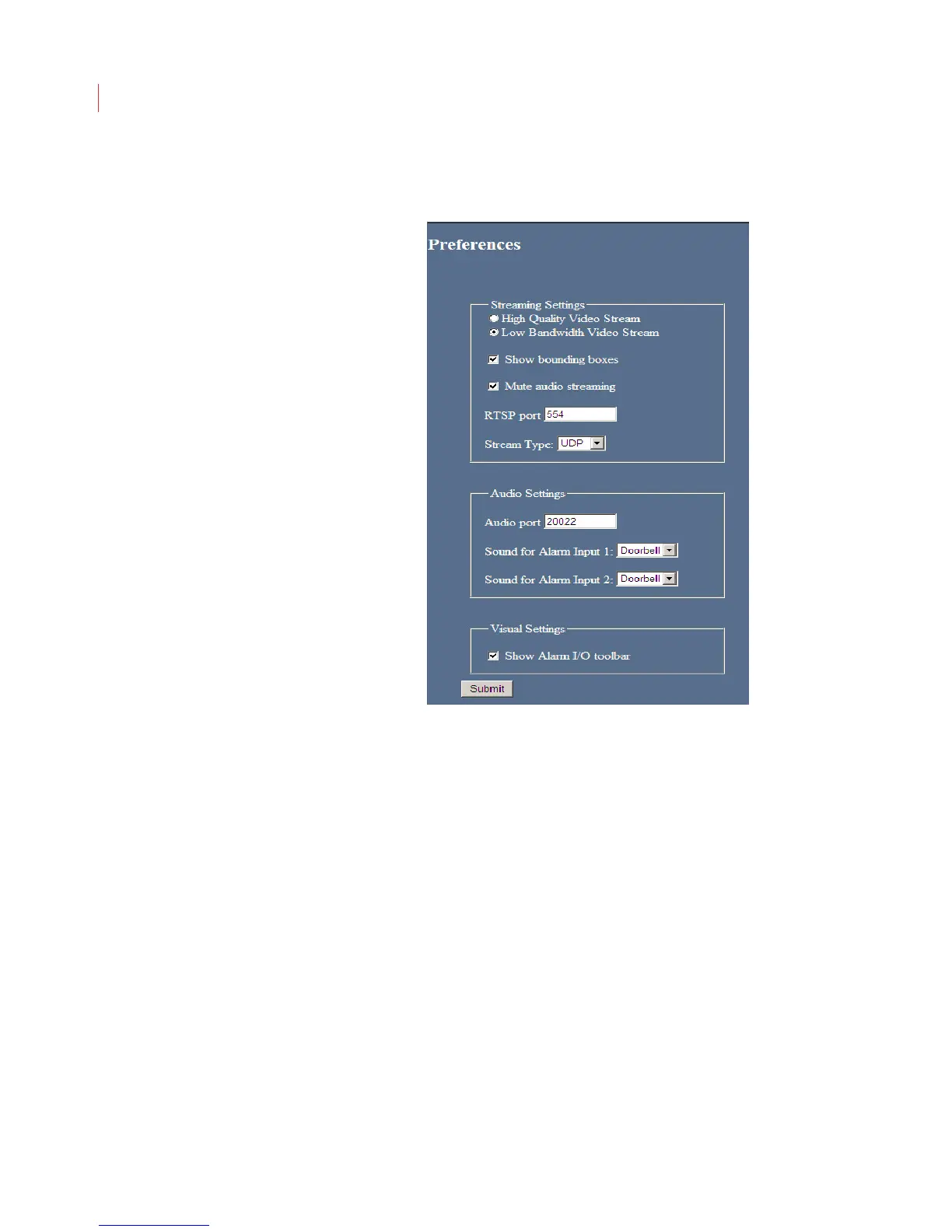
Configuring Preferences
Video Settings
Determine if you want to stream live video from the camera in a high-
quality stream, or in a lower-quality stream, which uses less bandwidth.
Use Show bounding boxes to display the colored bounding boxes on
the Live Video page.
Enable audio streaming by unchecking the Mute audio streaming box.
When using a non-default port for streaming video, enter the port number
in the RTSP port field.
Select a Stream Type from the drop-down menu:
UDP: This is the most bandwidth-efficient selection. However, this
protocol is not allowed to pass through all firewalls. If you’re having
trouble seeing live streaming video, select either TCP or HTTP(S).
TCP: Encapsulates the RTP traffic into standard TCP packets and
streams it to the client. Select this protocol if your firewall will not pass
UDP traffic.
HTTPS: The least bandwidth-efficient selection. This encapsulates
RTP and RTSP into HTTP transfers. The advantage of this streaming
method is that it uses one port for
Web browsing to the camera
Video streaming



 To Next Page