VideoIQ User Guide142
Configuring Network Settings
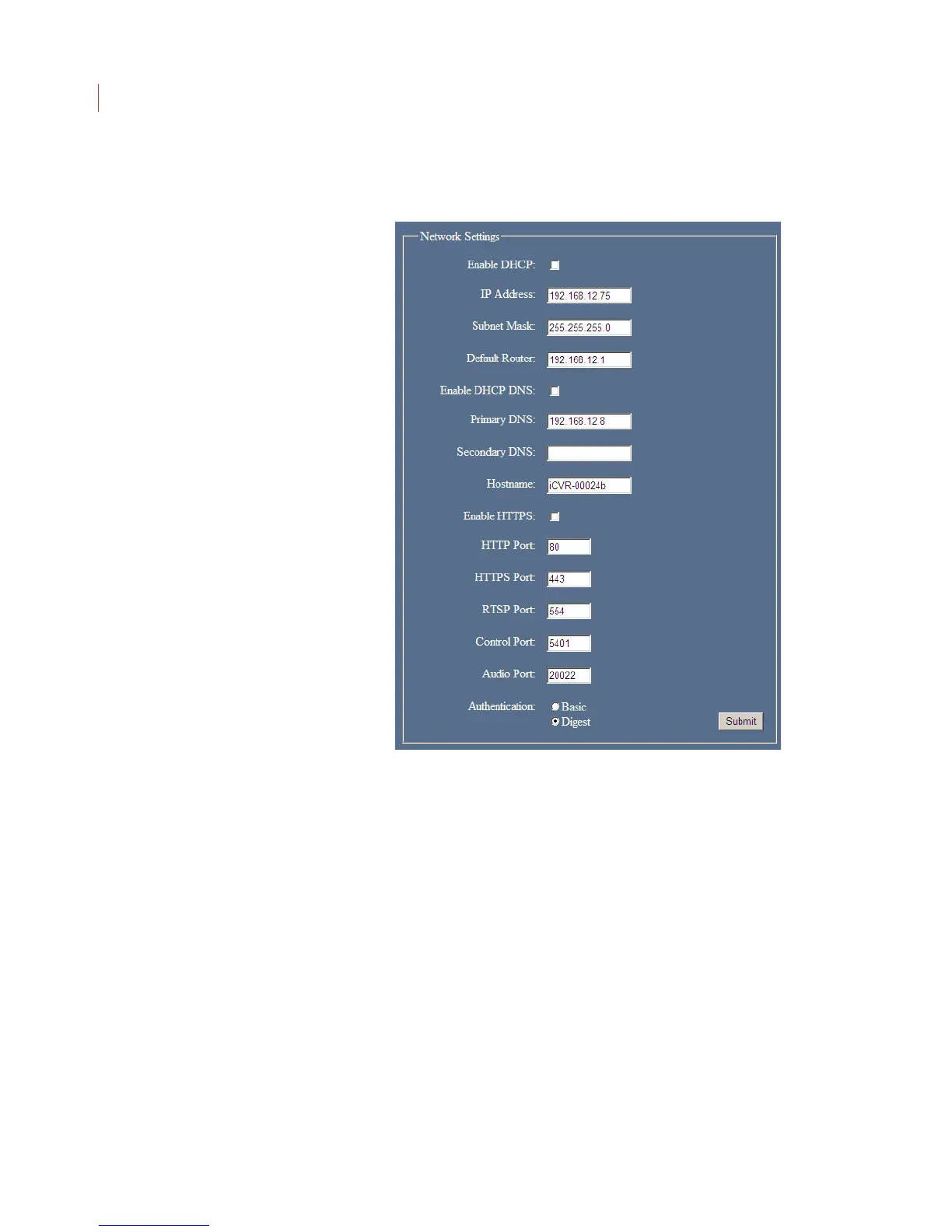
To configure basic network settings for a camera:
1. Specify how the camera should acquire its IP address
If you want the camera to acquire its IP address from a DHCP server,
click Enable DHCP.
If you want to specify a static configuration for the camera manually,
uncheck the Enable DHCP box and fill in the IP Address, Subnet Mask
and Default Router fields.
2. Specify how the camera should acquire its DNS address(es).
If you want the camera to acquire its DNS address from a DHCP server,
click Enable DHCP DNS.
If you want to specify the IP address for the camera manually, uncheck
the Enable DHCP DNS box and fill in the Primary DNS field.
3. If you don’t want to use the default network ports for communication between
the camera and local server, enter the new port information in the Port fields.
4. Specify the type of HTTP(S) Authentication to be used:
Basic: When used with HTTP the user names and passwords in the clear
via an unencrypted connection.



 To Next Page