3
Installing the iCVR Encoder
This chapter describes:
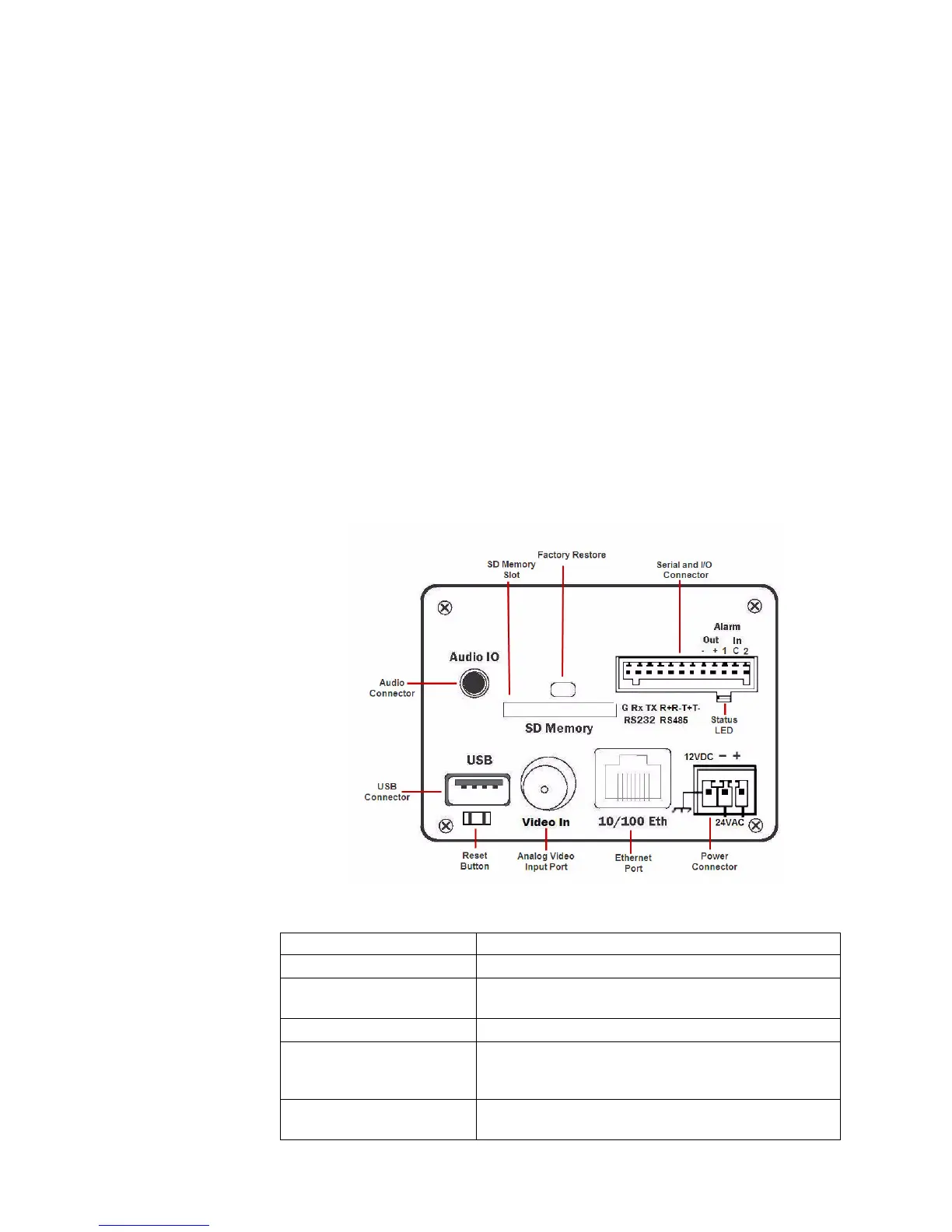
iCVR Encoder Connections
Connecting the Encoder to a Camera
Connecting a PTZ Camera to the Encoder
iCVR Encoder Connections
iCVR Connections Function
SD Memory Slot Used only with the diskless iCVR for optional video storage.
Audio Connector Output port that allows you to connect a speaker and stream
audio.
Reset Button Allows you to reboot the camera.
Factory Restore Button When used in conjunction with the soft reset button, returns
the camera to its default settings and clears all stored
settings and video.
USB Connector Used for iCVR image upgrades when upgrade doesn’t take
place through the View software.



 To Next Page