VideoIQ User Guide61
The camera settings are immediately reset to their default values and the camera
restarts automatically. The camera may take several minutes to become active in
the camera list after it restarts.
Using the Force Login
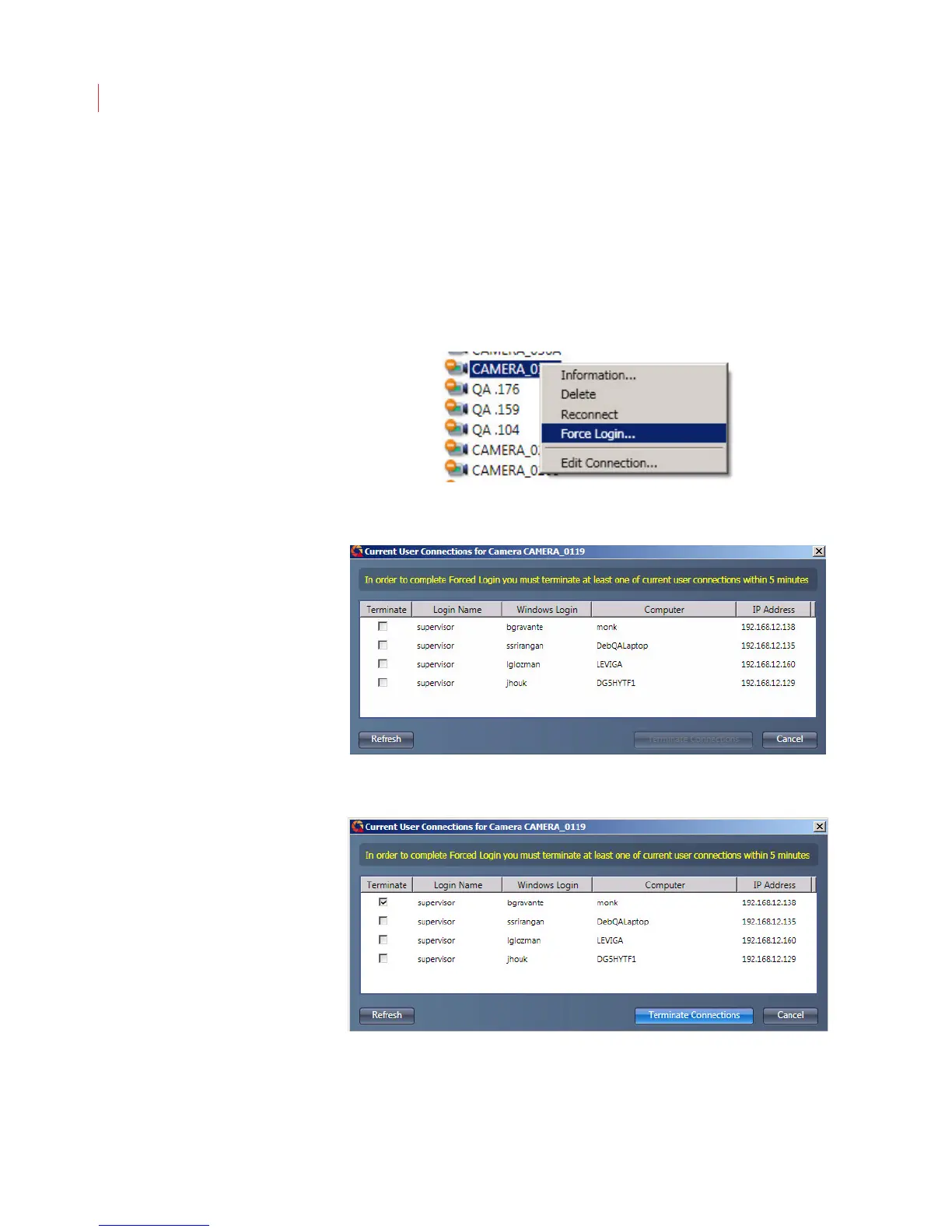
When the login limit has been reached on a camera a supervisor can login with
Force Login and disconnect one or more users.
1. Right-click on the camera in the camera tree and choose Force Login.
2. The Current User Connections dialog displays, listing the users currently
logged into the camera.
3. Check the box next to user(s) you want to disconnect and click Terminate
Connection.
Reviewing User Connections
The Review User Connections feature lets a supervisor view who is logged into a
camera.



 To Next Page