Administering Cameras
72
Note: The Night time setting applies to all camera types and should be
configured to help the Encoder perform better analytics at night.
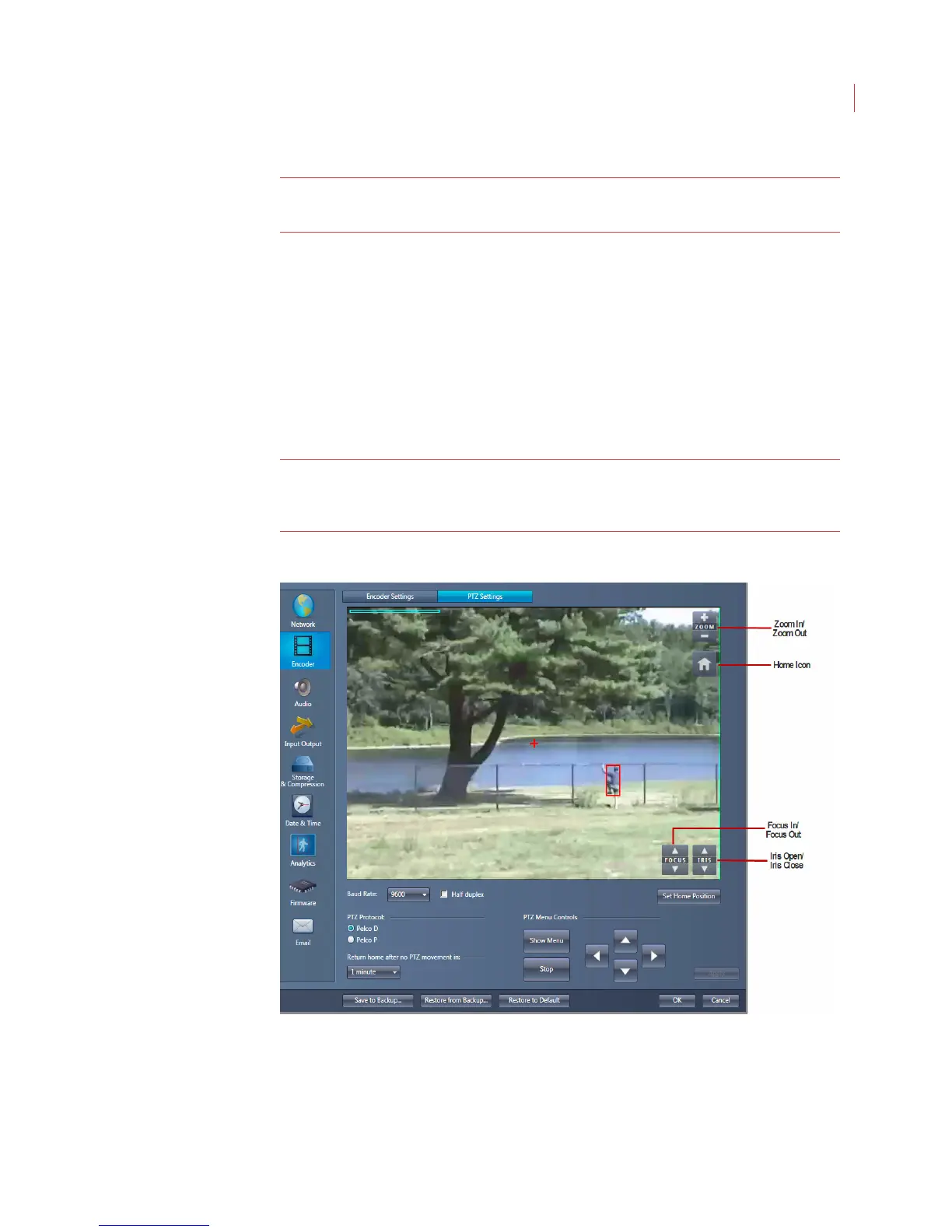
Configuring PTZ Settings
Once you have connected a Pelco P or Pelco D PTZ camera to the Encoder you
can use View to:
Configure the on-screen camera menu
Focus the camera
Set the camera Home position
Control the pan, tilt, zoom function of the camera
Note: If you connected a non-Pelco P or Pelco D protocol camera to the
Encoder, some of these feature may not be available to you without
performing additional steps outlined in your camera manual.
To configure a PTZ camera that is Pelco P or D compatible:
1. Click the Encoder button on the Configure Camera dialog, then click the PTZ
Settings tab.



 To Next Page