VideoIQ User Guide14
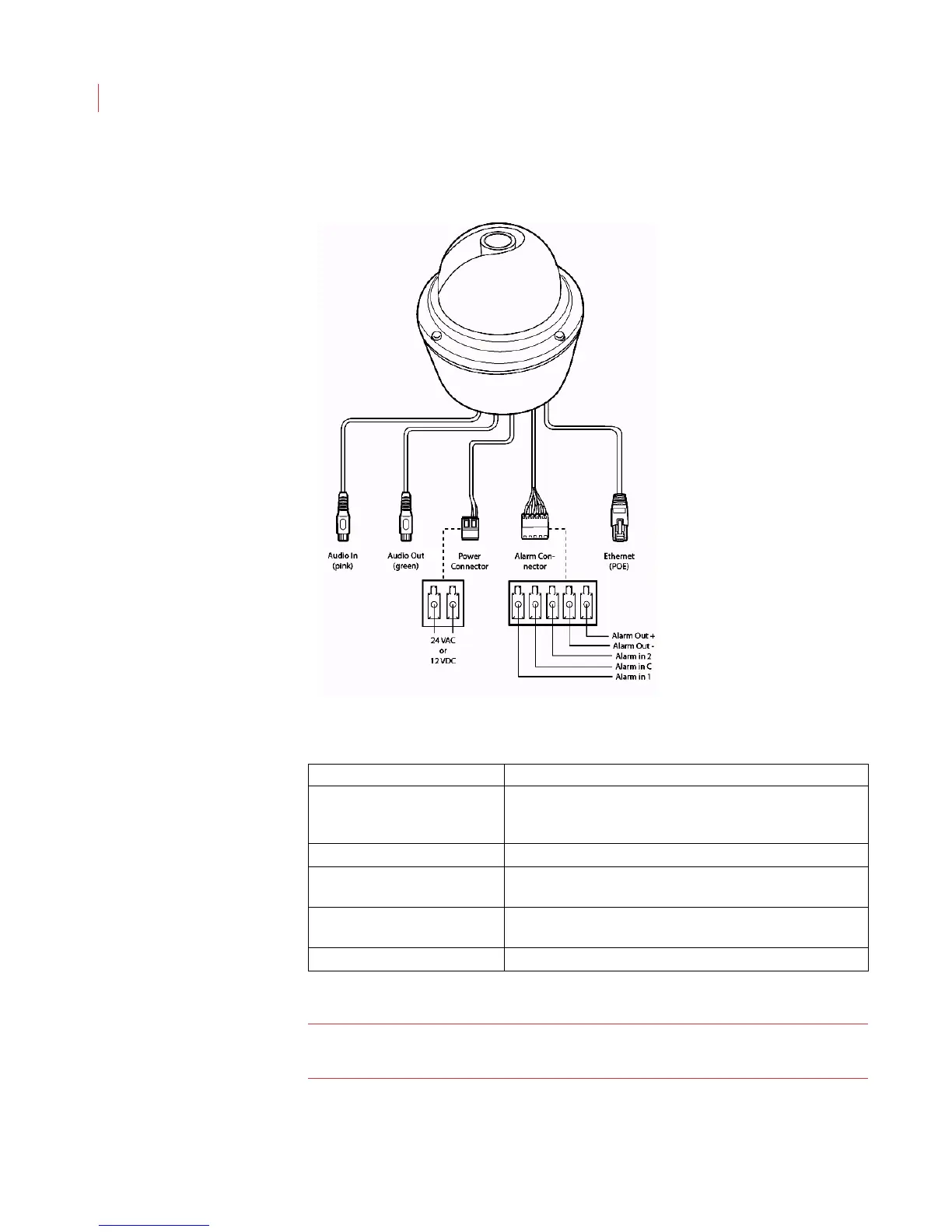
Dome Camera Connections
Note: The illiustration above shows an outdoor dome camera. Indoor dome
camera do not include all of the connections pictured.
Dome Connections Function
Audio Connector Connection cable that allows you to connect a microphone
and use the Talk button on the Alarm screen to stream
audio.
Line Out Connector Connection cable that allows you to connect a speaker.
Ethernet Port Used for network communications, and can also be used to
power the iCVR (PoE).
Power Connector Connection for 12V DC or 24V AC power (connectors
included).
Alarm I/O Connector Provides connection for 2 alarm inputs, 1 alarm output.



 To Next Page